IP Routing Protocol Overview 113
To limit the size of the routing table, an option is available to set a default route.
All the packets that fail to find a suitable table entry are forwarded through this
default route.
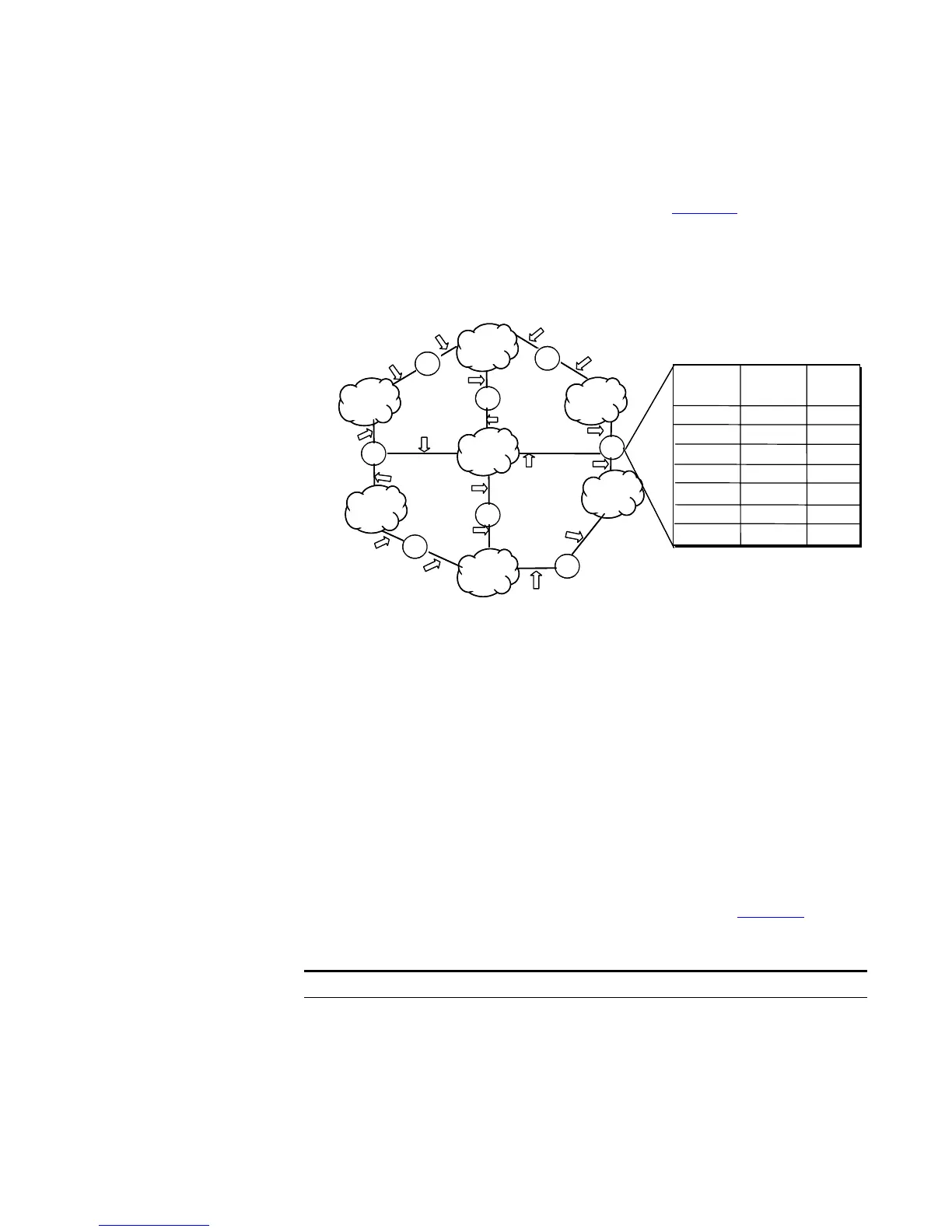
In a complicated Internet configuration, as shown in Figure 29, the number in
each network is the network address. The router R8 is connected to three
networks, so it has three IP addresses and three physical ports. Its routing table is
shown in Figure 2.
Figure 29 The routing table
Routing Management
Policy
The Switch 5500G-EI supports the configuration of a series of dynamic routing
protocols such as RIP and OSPF, as well as static routes. The static routes
configured by the user are managed together with the dynamic routes as detected
by the routing protocol. The static routes and the routes learned or configured by
routing protocols can be shared with each other.
Routing Protocols and Route Preferences
Routing protocols (including static configurations) can generate different routes to
the same destination, but not all these routes are optimal. In fact, at a certain
moment, only one routing protocol can determine a current route to a single
destination. Thus, each routing protocol (including static configurations) has a set
preference, and when there are multiple routing information sources, the route
with the highest preference becomes the current route. Routing protocols and the
default preferences of the routes that they learn are shown in
Tabl e 107. The
smaller the value, the higher the preference).
Forwarding Port
router
passed
10.0.0.0
Directly
11.0.0.0
12.0.0.0 11.0.0.2
13.0.0.0 3
14.0.0.0
13.0.0.2
3
15.0.0.0 10.0.0.2 2
16.0.0.0 10.0.0.2
2
15.0.0.0
16.0.0.0
10.0.0.0
13.0.0.0
12.0.0.0
14.0.0.0
11.0.0.0
R4
R1
R3
R2
R6
R5
R7
R
8
1
11.0.0.2
2
12.0.0.1
12.0.0.2
12.0.0.3
14.0.0.1
14.0.0.2
13.0.0.1
13.0.0.4
11.0.0.1
3
10.0.0.1
10.0.0.2
16.0.0.3
16.0.0.2
15.0.0.2
15.0.0.1
13.0.0.2
16.0.0.2
13.0.0.3
The routing table of router R8
Destination
host
location
Directly
Directly
2
1
1
Forwarding Port
router
passed
10.0.0.0
Directly
11.0.0.0
12.0.0.0 11.0.0.2
13.0.0.0 3
14.0.0.0
13.0.0.2
3
15.0.0.0 10.0.0.2 2
16.0.0.0 10.0.0.2
2
15.0.0.0
16.0.0.0
10.0.0.0
13.0.0.0
12.0.0.0
14.0.0.0
11.0.0.0
R4
R1
R3
R2
R6
R5
R7
R
8
1
11.0.0.2
2
12.0.0.1
12.0.0.2
12.0.0.3
14.0.0.1
14.0.0.2
13.0.0.1
13.0.0.4
11.0.0.1
3
10.0.0.1
10.0.0.2
16.0.0.3
16.0.0.2
15.0.0.2
15.0.0.1
13.0.0.2
16.0.0.2
13.0.0.3
The routing table of router R8
Destination
host
location
Directly
Directly
2
1
1
Tab le 107 Routing Protocols and the Default Preferences for Routes
Routing protocol or route type The preference of the corresponding route
DIRECT 0
OSPF 10
ISIS 15
STATIC 60
RIP 100
OSPF ASE 150
OSPF NSSA 150













 To Next Page