188 CHAPTER 7: MULTICAST PROTOCOL
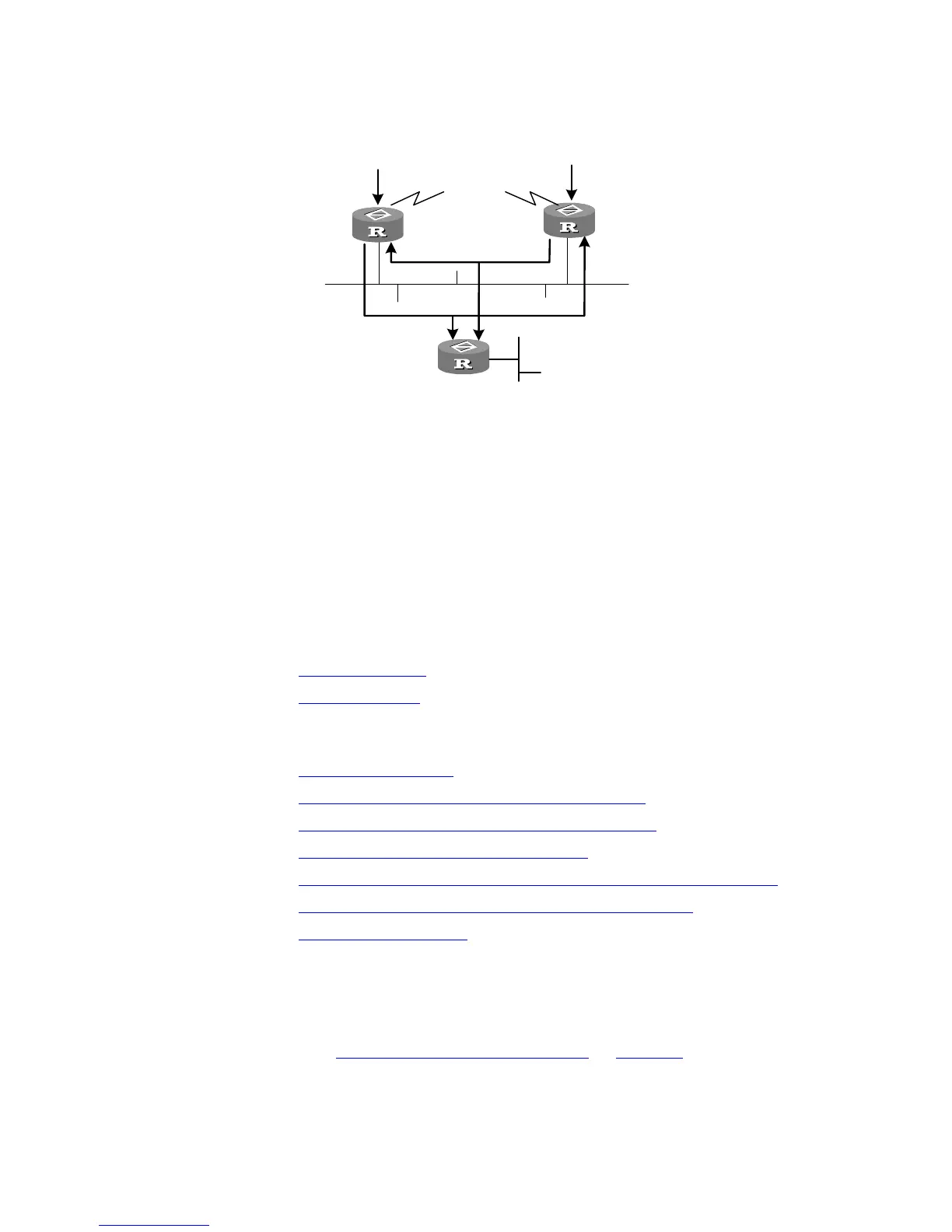
Figure 43 Assert mechanism diagram
When they detect such a case, routers need to select a unique sender by using the
assert mechanism. Routers will send Assert packets to select the best path. If two
or more than two paths have the same priority and metric, the path with a higher
IP address will be the upstream neighbor of the (S, G) entry, which is responsible
for forwarding the (S, G) multicast packet.
Graft
When the pruned downstream node needs to be restored to the forwarding state,
the node will send a graft packet to inform the upstream node.
Configuring PIM-DM PIM-DM basic configuration includes:
■ Enabling Multicast
■ Enabling PIM-DM
PIM-DM advanced configuration includes:
■ Entering the PIM View
■ Configuring Sending Interval for the Hello Packets
■ Configuring the Filtering of Multicast Source/Group
■ Configuring the Filtering of PIM Neighbor
■ Configuring the Maximum Number of PIM Neighbor on an Interface
■ Clearing Multicast Route Entries from PIM Routing Table
■ Clearing PIM Neighbors
When the router is run in the PIM-DM domain, 3Com recommends that you
enable PIM-DM on all interfaces of the non-border router.
Enabling Multicast
Refer to “Common Multicast Configuration” on page 177.
Enabling PIM-DM
PIM-DM needs to be enabled in the configuration of all interfaces.
Receiver
Router A
Router B
Router C
Multicast packets forwarded by the
upstream node













 To Next Page