9
XRN FABRIC
This chapter covers the following topics:
■ Introduction to XRN
■ Configuring an XRN Fabric
■ Fabric Configuration Example
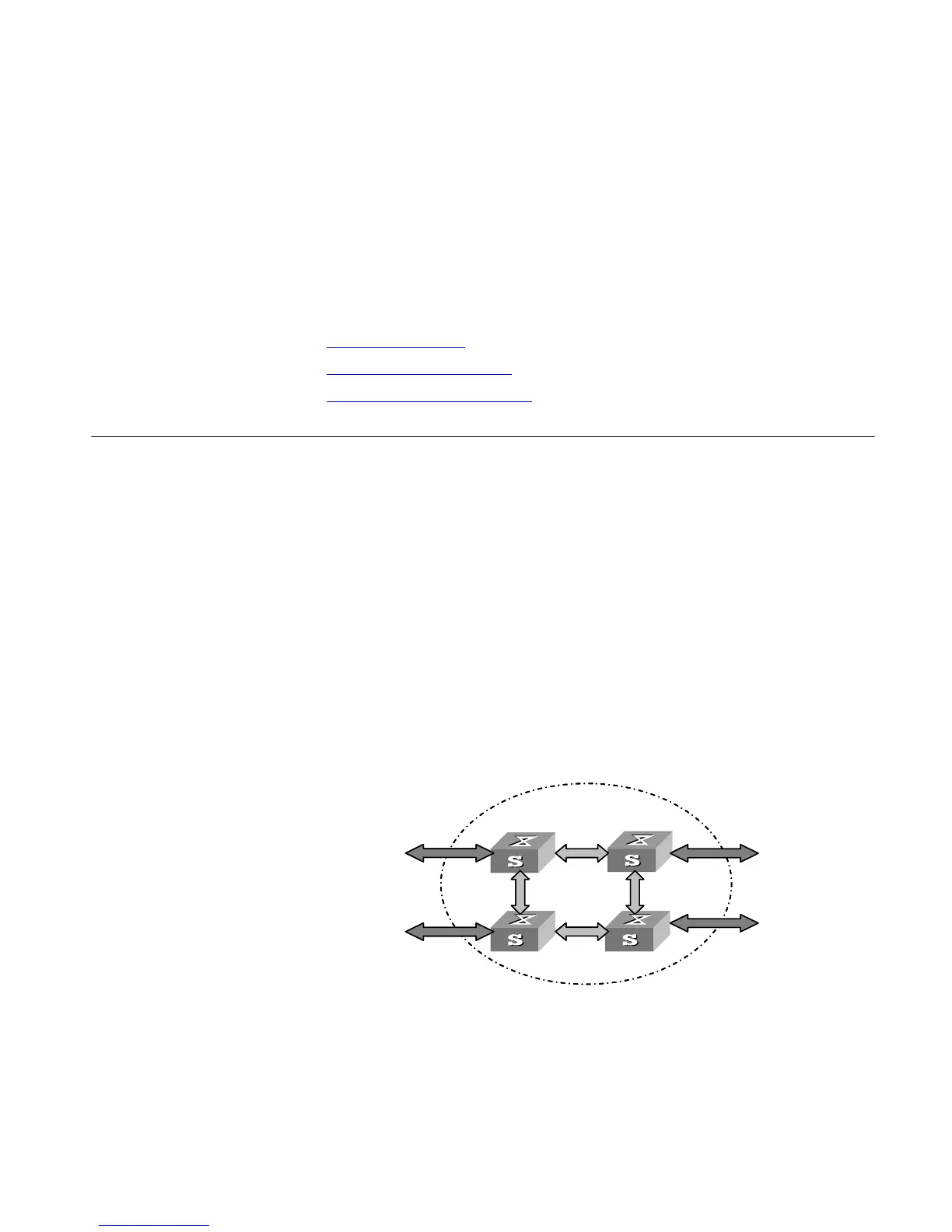
Introduction to XRN Several XRN Switches of the same model can be interconnected to create a
“Fabric”, in which each Switch is a unit. The ports used to interconnect all the
units are called Fabric ports, while the other ports that are used to connect the
Fabric to users are called user ports. In this way, you can increase ports and
switching capability by adding devices to the Fabric. In addition, reliability of the
system will be improved because the devices within the Fabric can backup each
other. This feature brings you many advantages:
■ Realizes unified management of multiple devices. Only one connection and
one IP address are required to manage the entire Fabric. Therefore,
management cost is reduced.
■ Enables you to purchase devices on demand and expand network capacity
smoothly. Protects your investment to the full extent during network upgrade.
■ Ensures high reliability by N+1 redundancy, avoids single point failure, and
lessens service interruption.
Figure 59 Fabric Example
Fabric Topology Mapper (FTM) function can manage and maintain Fabric topology.
FTM on each unit exchanges information with other units, including unit ID, Fabric
name, and the authentication mode between units, by using a special kind of
protocol packets. It manages and maintains Fabric topology according to the
acquired information. For example, when a new device is connected to a Fabric,
FTM will determine whether it should establish a new Fabric with the device
according to the information.
Fabric
Fabric port
user port
Fabric
Fabric port
user port













 To Next Page