RSTP Configuration 243
RSTP Configuration The configuration of RSTP changes with the position of the Switch in the network,
as discussed below.
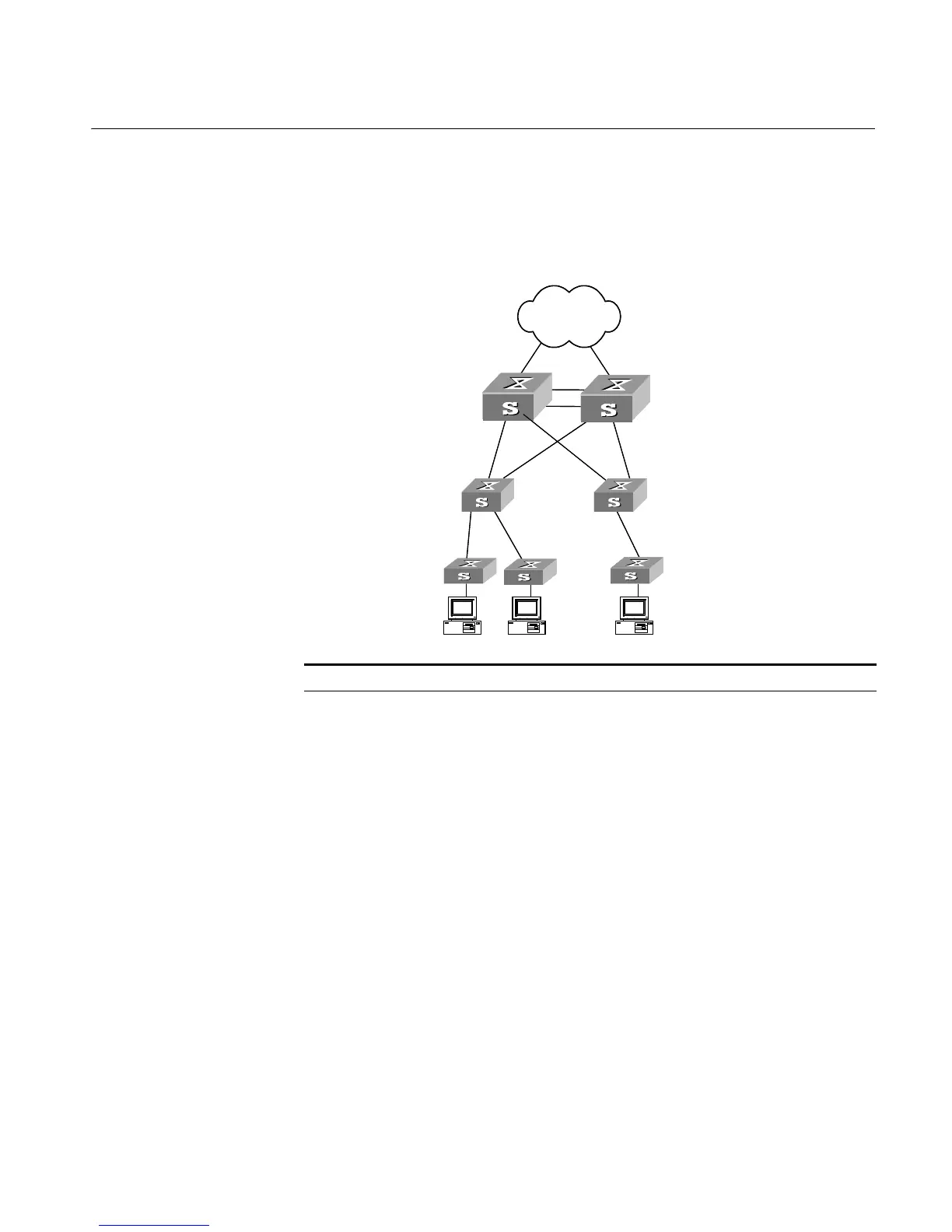
Figure 64 Configuring STP
Tab le 264 RSTP Configuration
Switch A and Switch B: Root
bridge and backup root
bridge
Switch C and Switch D:
Intermediate Switches in the
Switched network
Switch E, Switch F and Switch
G: Switches directly
connected with user PCs
Device Configuration Default Value Note
Switch A &
Switch B
Enable the STP
feature on the
Switch
Enable the STP
feature on the
port
The STP feature is
disabled from the
Switch, but will be
enabled on all
ports once being
enabled on the
Switch.
The configuration of STP feature status on
the port will not take effect if the STP
feature is disabled from the Switch.
Configure RSTP
operational
mode
The Switch works
in RSTP mode.
If there are Switches respectively running
STP and RSTP on the network, it is
recommended to set the Switch in
STP-compatible mode.
Configure the
STP-Ignore
attribute of
VLANs on a
Switch
No VLAN on a
STP-enabled
Switch is
STP-Ignored.
Once a VLAN is specified to be
STP-Ignored, the packets of this VLAN will
be forwarded on any Switch port, with no
restriction from the calculated STP path.
Specify a Switch
as the root or
backup root
bridge
The role of the
current Switch as
the root or backup
root bridge
depends on the
STP calculation.
A Switch can be made the root bridge by
specifying its Bridge preference to 0.
Configure the
Bridge
preference of a
Switch
The Bridge
preference of a
Switch is 32768.
A Switch can be made the root bridge by
specifying its Bridge preference to 0.
Switch C
Switch A
Switch B
Switch D
Switch A
Switch E Switch F Switch G
Switch C
Switch A
Switch B
Switch D
Switch A
Switch E Switch F Switch G













 To Next Page