AAA and RADIUS Protocol Configuration 273
the RADIUS server various kinds of response messages in which the ACCEPT
message indicates that the user has passed the authentication, and the REJECT
message indicates that the user has not passed the authentication and needs to
input their username and password again, otherwise they will be rejected access.
Implementing
AAA/RADIUS on the
Ethernet Switch
In the above-mentioned AAA/RADIUS framework, the Switch 5500G-EI Family,
serving as the user access device or NAS, is the client end of RADIUS. In other
words, the AAA/RADIUS concerning the client-end is implemented on the Switch
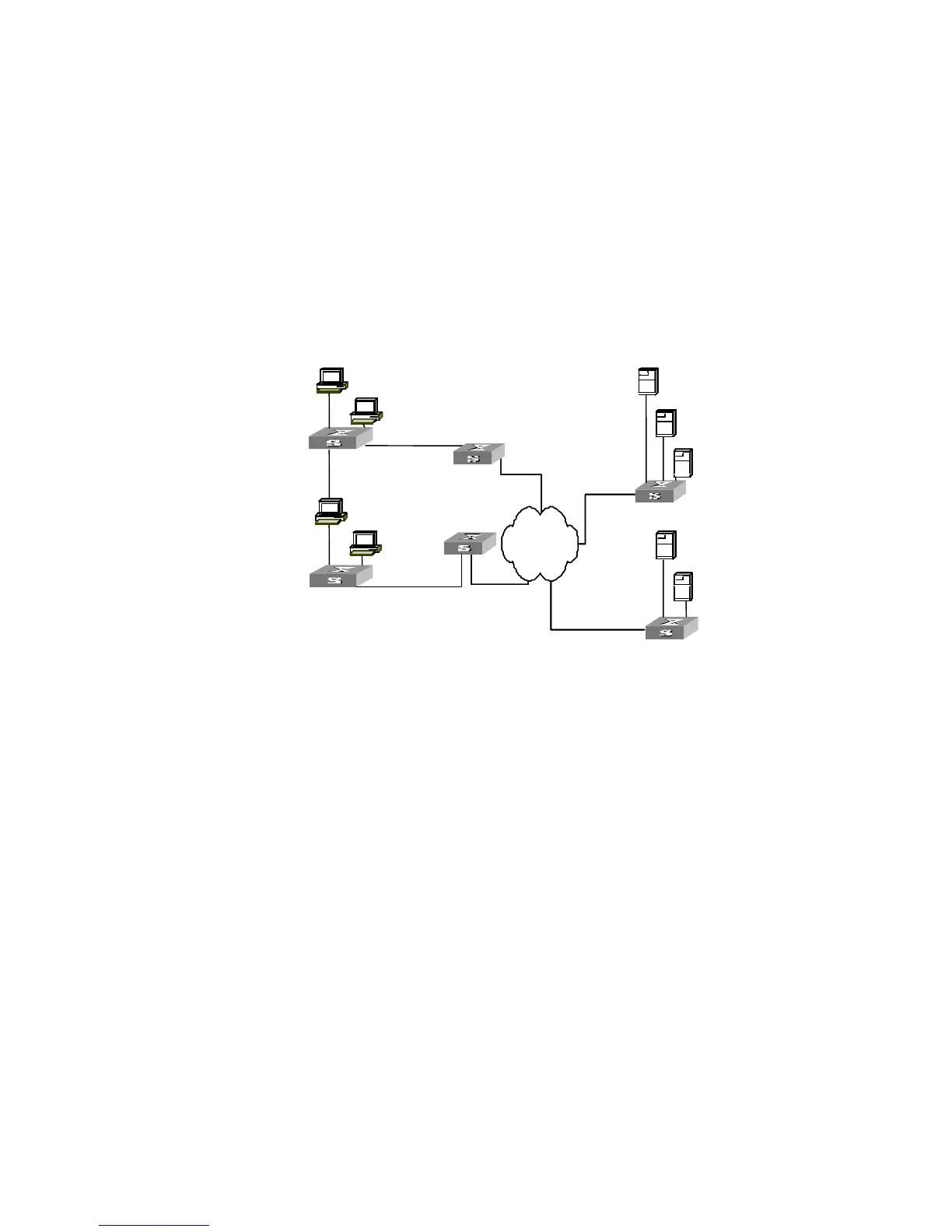
5500G-EI. The figure below illustrates the RADIUS authentication network
including 5500G-EI Switches.
Figure 68 Networking when Switch 5500G-EI Units are Applying RADIUS Authentication
Configuring AAA AAA configuration includes:
■ Creating/deleting an ISP domain
■ Configuring relevant attributes of the ISP domain
■ Creating a local user
■ Setting attributes of the local user
■ Disconnecting a user by force
Among the above configuration tasks, creating ISP domain is compulsory,
otherwise the user attributes cannot be distinguished. The other tasks are
optional. You can configure them at requirements.
Creating/Deleting an ISP
Domain
What is Internet Service Provider (ISP) domain? To make it simple, ISP domain is a
group of users belonging to the same ISP. Generally, for a username in the
userid@isp-name format, taking gw20010608@3com163.net as an example, the
isp-name (i.e. 3com163.net) following the @ is the ISP domain name. When the
Switch 5500G-EI controls user access, as for an ISP user whose username is in
userid@isp-name format, the system will take userid part as username for
identification and take isp-name part as domain name.
The purpose of introducing ISP domain settings is to support the multi-ISP
application environment. In such an environment, one access device might access
InternetInternet
SW 5500
PC user1
PC user2
PC user3
PC user4
SW 5500













 To Next Page