388 CHAPTER B: RADIUS SERVER AND RADIUS CLIENT SETUP
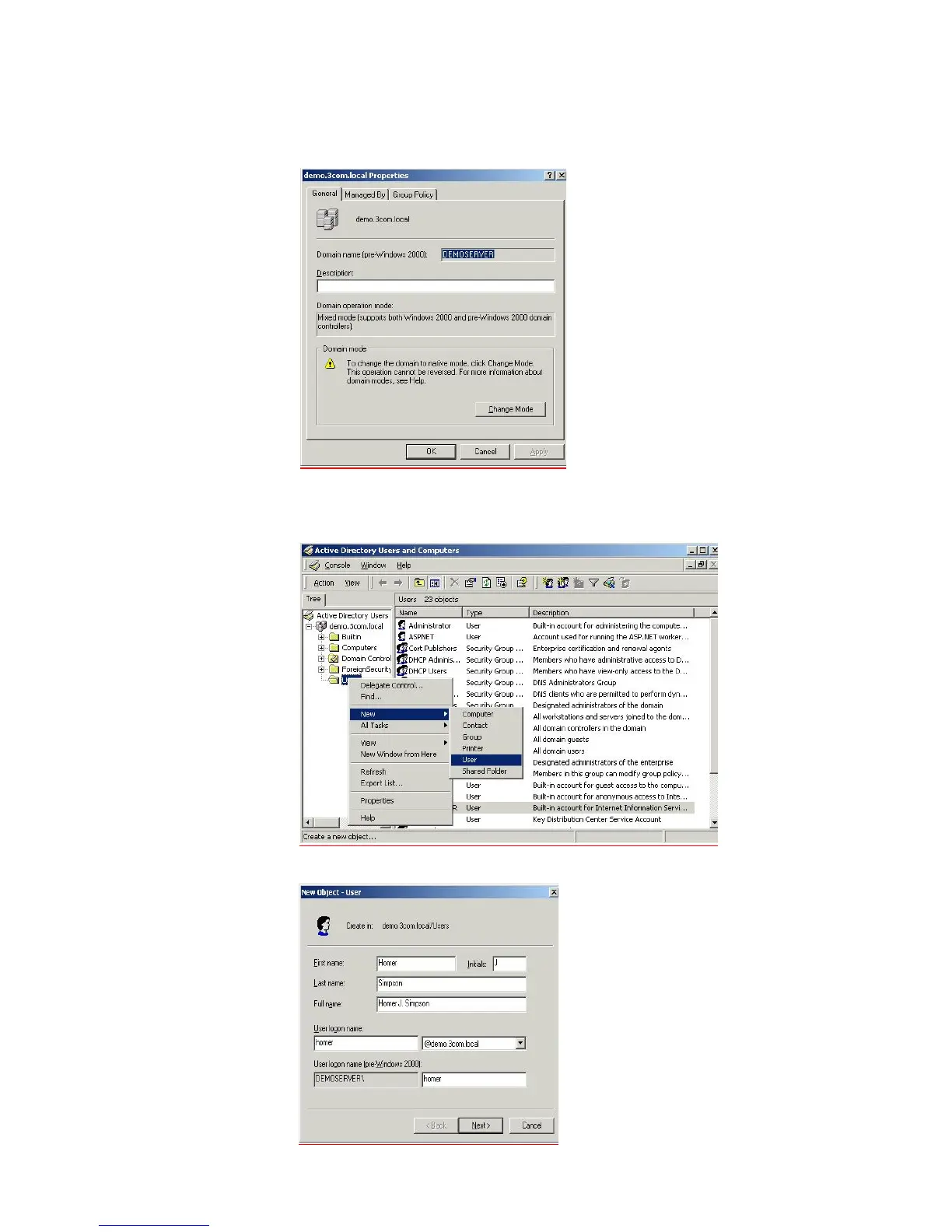
and Computers window, right-click Domain and choose Properties, select
Change Mode.
c Add a user that is allowed to use the network. Go to Active Directory Users and
Computers, from the left hand window right-click the Users folder and choose
New > User, as shown below.
d Follow the wizard to create a user, enter the required information at each stage













 To Next Page