Setting Up A RADIUS Server 399
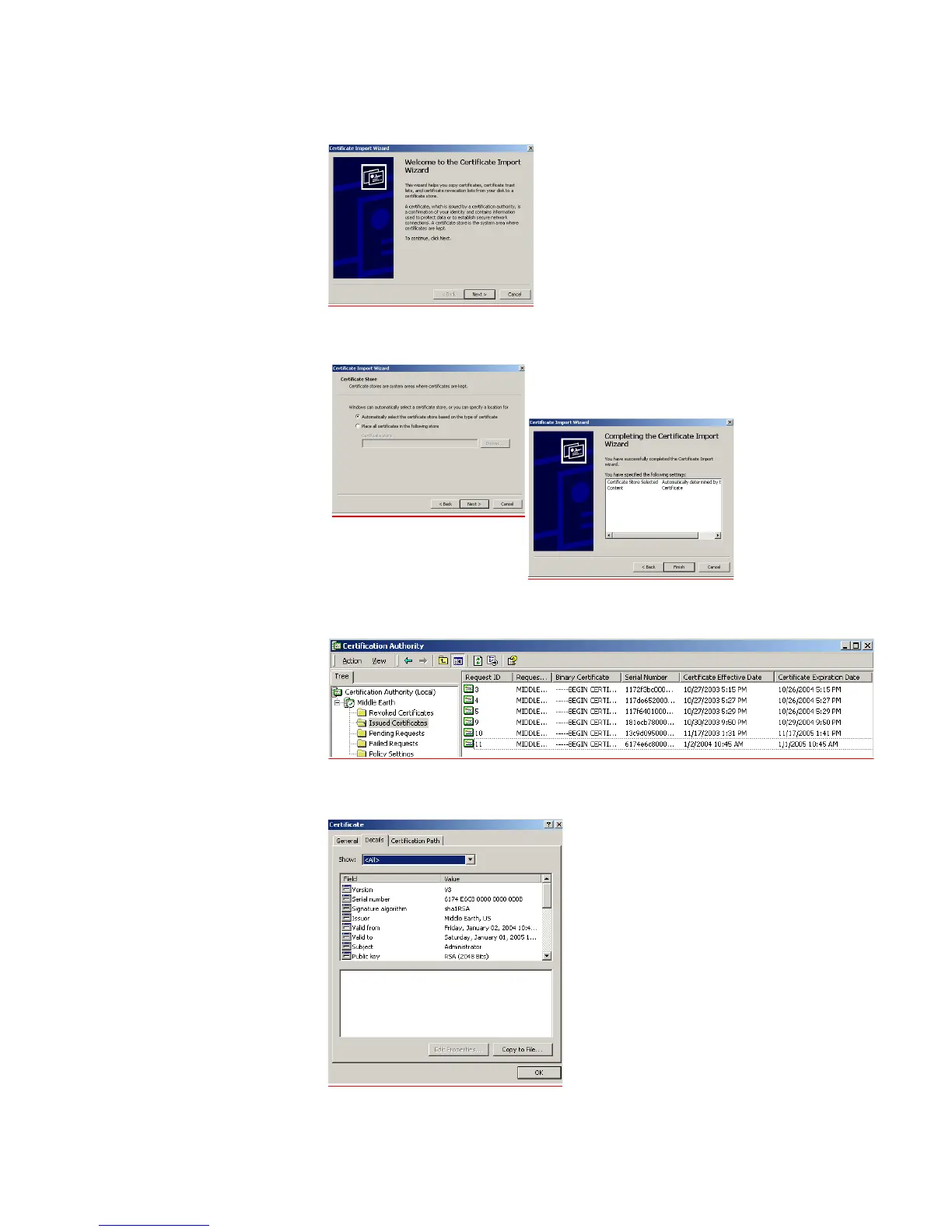
o Click Install Certificate to launch the certificate import wizard
p Leave the settings on the next screen as is, click Next > followed by Finish and
OK. This will install the certificate,
q Launch the Certification Authority management tool on the server and expand
the Issued Certificates folder. You should see the newly created certificate.
r Double-click the certificate that was generated by the client and select the
Details tab













 To Next Page