Setting Up A RADIUS Server 401
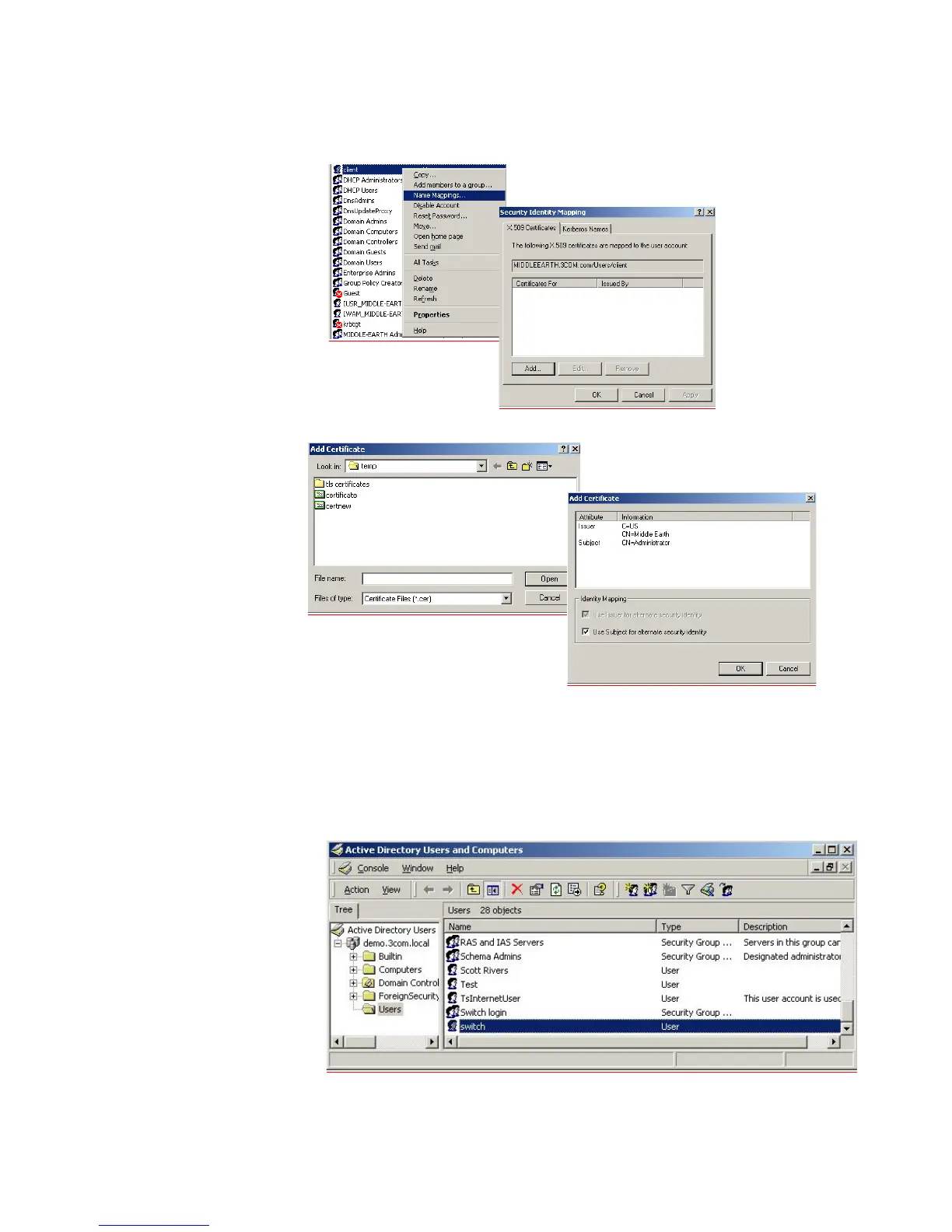
u Select the user that becomes the IEEE 802.1x client. Right-click on the user and
select Name mappings. Select Add
v Select the certificate that you have just exported and click Open. Click OK
w In the Security Identity Mapping screen, click OK to close it.
x Close the Active Directory Users and Domains management tool. This
completes the configuration of the RADIUS server.
10 Configure Microsoft IAS RADIUS Server for Switch Login.
a Create a Windows Group that contains the users that are allowed access to the
Switch 5500G-EI. Add an additional user as a member of this windows group:













 To Next Page