422 CHAPTER C: AUTHENTICATING THE SWITCH 5500G-EI WITH CISCO SECURE ACS
Adding a 3Com
Switch
5500G-EI as a
RADIUS client
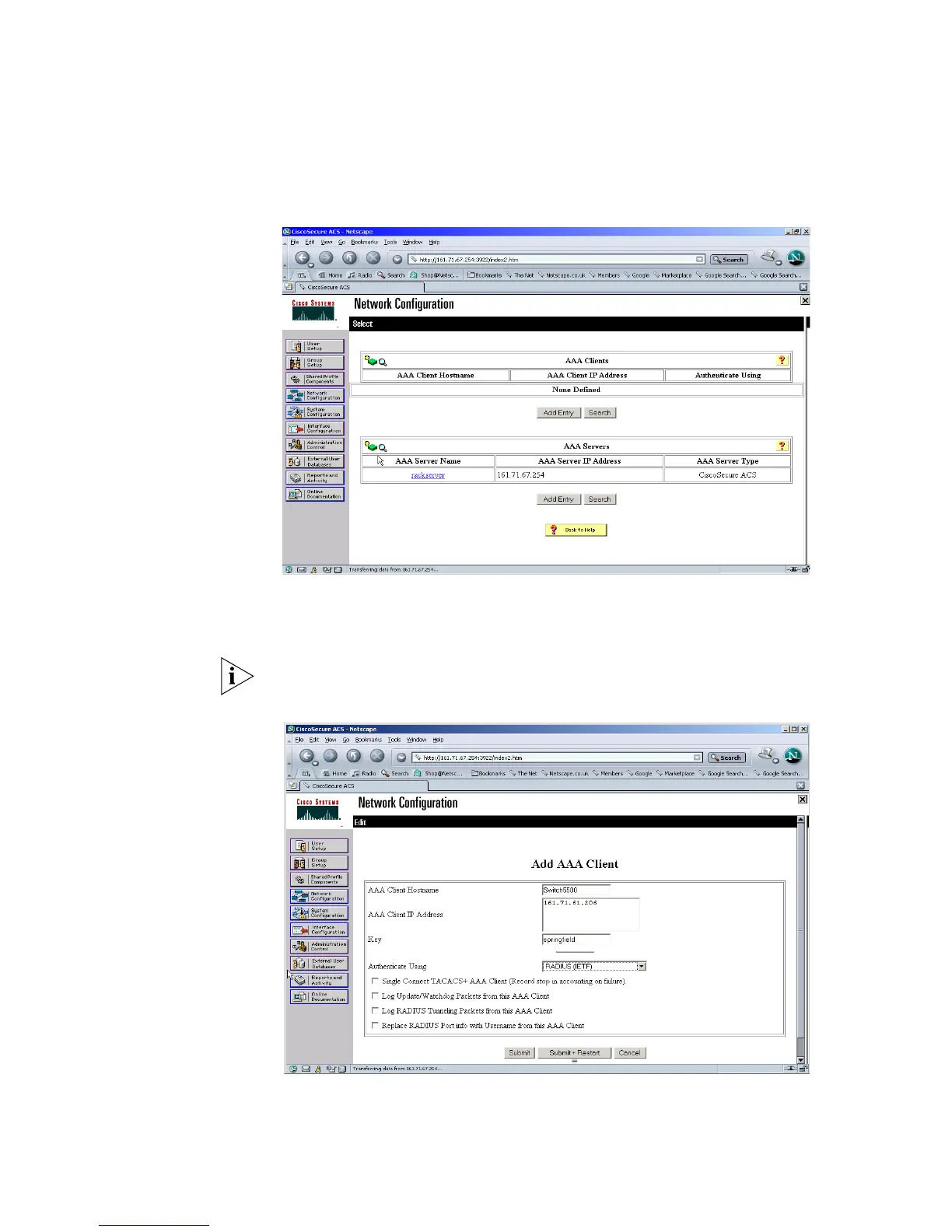
Once logged into the Cisco Secure ACS interface, follow these steps:
1 Select Network Configuration from the left hand side
2 Select Add Entry from under AAA Clients.
3 Enter the details of the 3Com switch.
Spaces are not permitted in the AAA Client Host name.
An example is shown below
4 Select Submit. Do not restart the ACS server at this stage













 To Next Page