426 CHAPTER C: AUTHENTICATING THE SWITCH 5500G-EI WITH CISCO SECURE ACS
3=Administrator
b Locate the application csutil.exe. in the utils directory of the install path (eg.
C:\program files\Cisco Secure ACS\utils\).
c Copy the 3Com.ini file into the utils directory
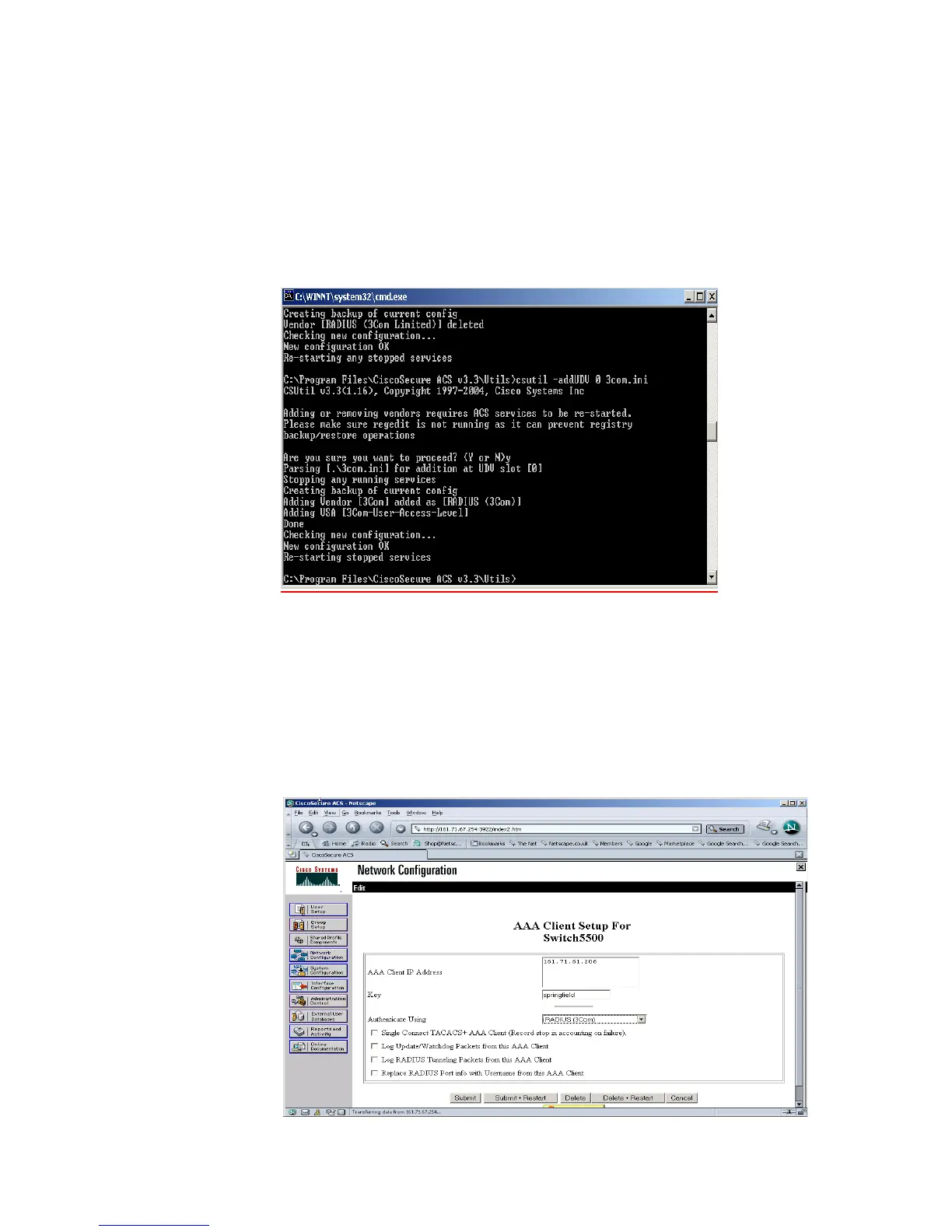
d At the command prompt enter
csutil -addUDV 0 3Com.ini
This will stop the Cisco Secure ACS server, add the RADIUS information (by adding
the contents of 3Com.ini to UDV (User Defined Vendor) slot 0),and then restart
the server. Once complete, log into the Secure ACS server again and complete
steps 2 and 3.
2 To use the new RADIUS attributes, a client needs to be a user of RADIUS (3Com)
attributes. Select Network Configuration from the left hand side and select an
existing device or add a new device. In the AAA Client Setup window select
RADIUS (3COM) from the Authenticate Using pull down list. .













 To Next Page