436 APPENDIX D: 3COM XRN
The unit LEDs will display the unit number in the Fabric, from 1 to 8.
Network Example
using XRN
The following example explains how to set up XRN in a network to gain maximum
resilence using two Distributed Fabrics. The same process scales for larger
networks if you are using multiple XRN Distributed Fabrics.
XRN Distributed Fabric
Network
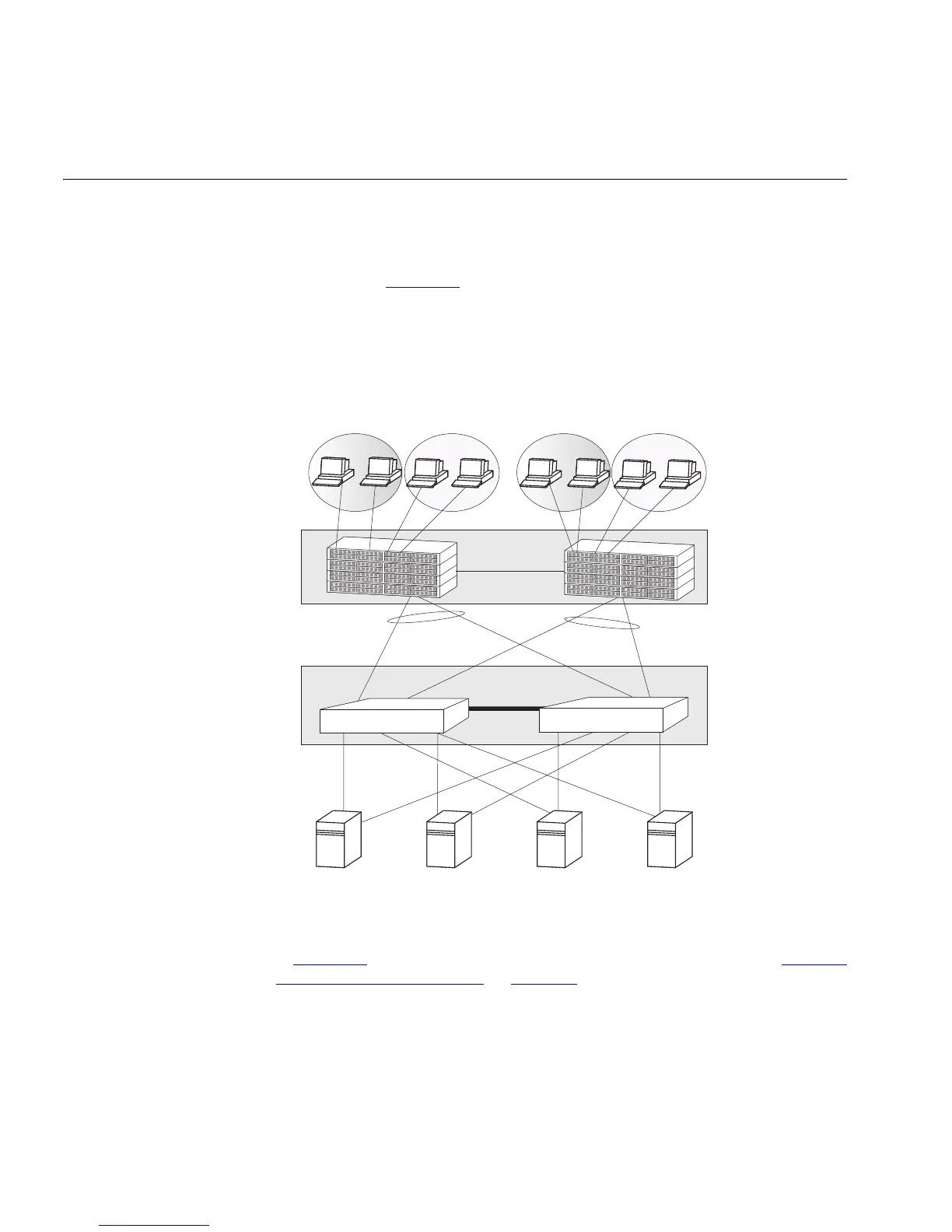
The example in Figure 108 shows a network with two Switches interconnected to
create a single XRN Distributed Fabric in the Server Distribution section of the
network, this Fabric in turn is connected to a Fabric within the Core of the
network. The servers are multi-homed as are the Switch 5500G-EI Fabrics to create
a highly resilient network.
Figure 108 A Dual XRN Distributed Fabric Network
How to Set up this Network
This section provides information on how to configure an XRN network as shown
in
Figure 108. It assumes you have carried out steps 1 to 4 as detailed in “How to
Implement XRN — Overview” on page 433.
1 Enable LACP on the required ports, ensuring you have not connected your devices
to the Distributed Fabric yet as you must configure your VLANs before the
aggregated links are configured. Individual port members of each aggregated link
must have VLAN membership explicitly set, that is, manually configured, before
the aggregated link is set up. You must not rely on port members inheriting VLAN
membership configuration from the aggregated link.
2 Create the VLANs and assign VLAN membership to all ports.
VLAN2
VLAN 1
VLAN2
VLAN 1
Switch 5500 units
XRN Distributed Fabric
Servers on
1000 Mbps connections
802.3ad
Aggregated Links
VLAN ID 1, 2
VLAN ID 1, 2
VLAN ID 1, 2
VLAN ID 1, 2
XRN Distributed Fabric













 To Next Page