80 CHAPTER 4: POWER OVER ETHERNET (POE) CONFIGURATION
12000 mW. This is required to guarantee the power feeding to the PD that will be
connected to the GigabitEthernet1/0/24 even when the Switch 5500 PWR is in full
load.
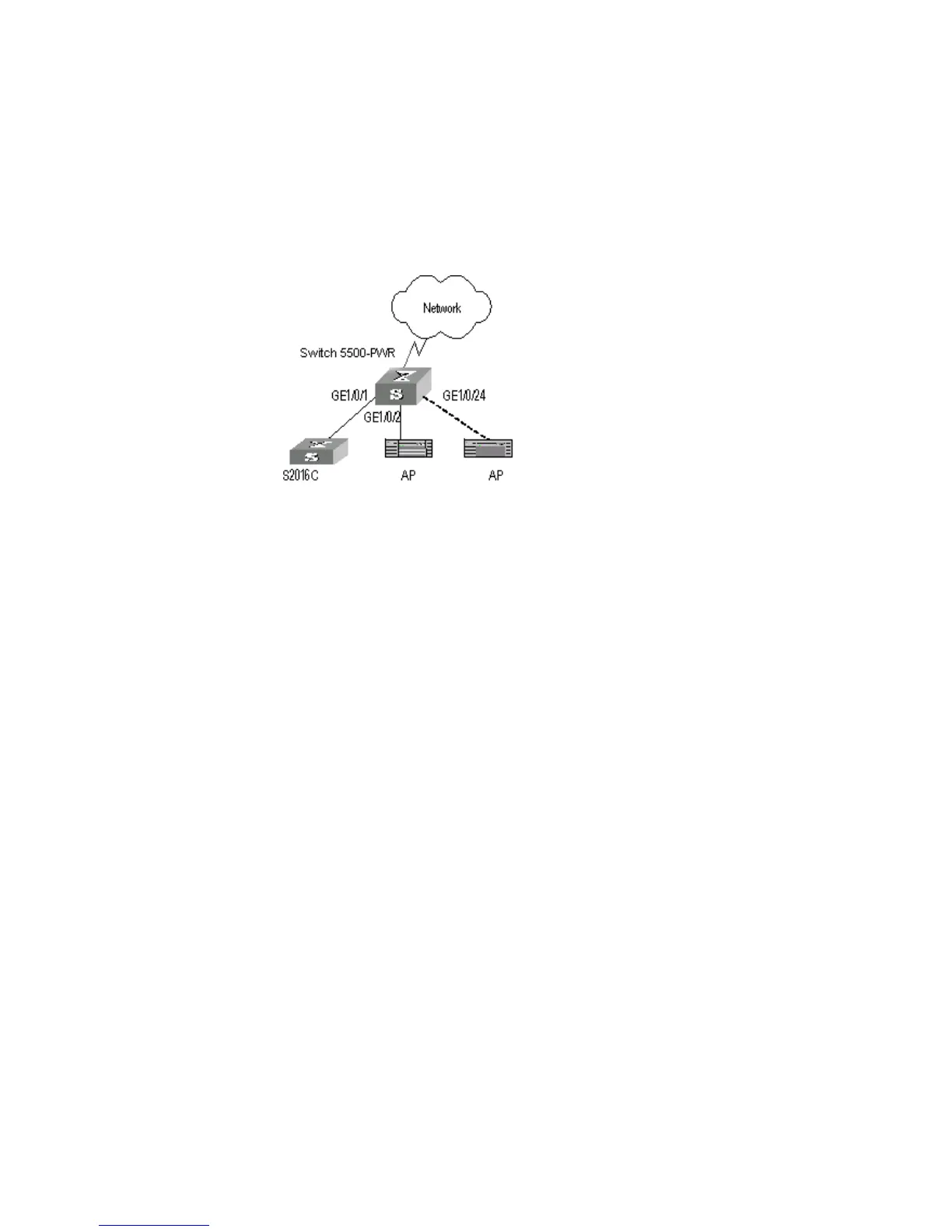
Network Diagram
Figure 17 PoE Remote Power Supply
Configuration Procedure
Update the PSE processing software online.
[SW5500]poe update refresh 0290_021.s19
Enable the PoE feature on the GigabitEthernet1/0/1, GigabitEthernet1/0/2, and
GigabitEthernet1/0/24 ports (the feature is enabled by default, so this step can be
ignored).
[SW5500-GigabitEthernet1/0/1]poe enable
[SW5500-GigabitEthernet1/0/2]poe enable
[SW5500-GigabitEthernet1/0/24]poe enable
Set the maximum power output of GigabitEthernet1/0/1 and
GigabitEthernet1/0/2 to 12000 and 3000 mW respectively.
[SW5500-GigabitEthernet1/0/1]poe max-power 12000
[SW5500-GigabitEthernet1/0/2]poe max-power 3000
Set the priority of GigabitEthernet1/0/24 to critical to guarantee the power
feeding to the AP to which this port connects.
[SW5500-GigabitEthernet1/0/24]poe priority critical
Set the power supply management mode on the switch to auto (it is the default
mode, so this step can be ignored).
[SW5500]poe power-management auto
Enable the PD compatibility detect of the switch to allow the switch to supply
power to part of the devices noncompliant with the 802.3af standard.
[SW5500]poe legacy enable













 To Next Page