92 CHAPTER 5: NETWORK PROTOCOL OPERATION
You can also enter the debugging command in User View to debug the resilient
ARP function.
Resilient ARP
Configuration Example
Networking Requirement
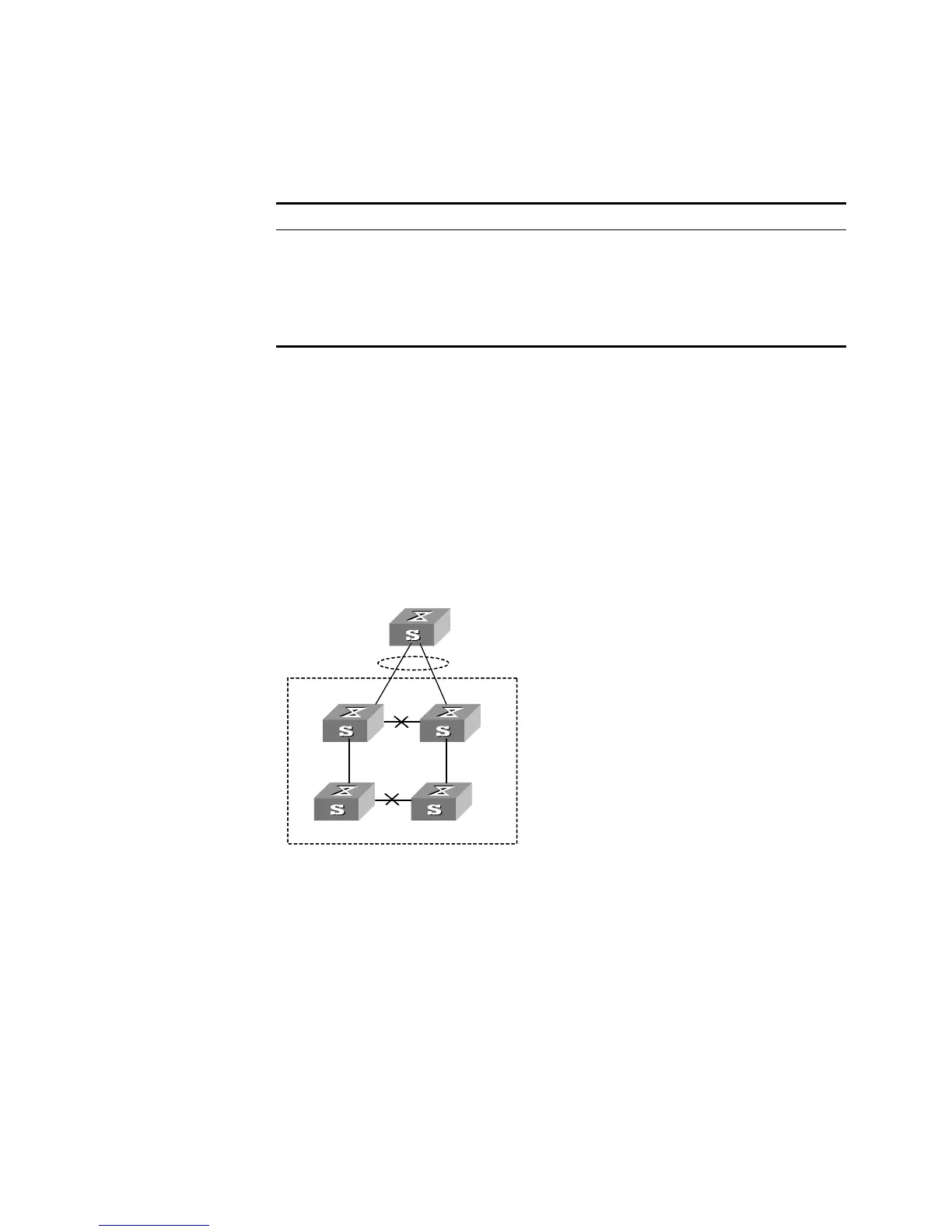
There are four units, numbered respectively Unit 1 through Unit 4, in the XRN
network. Unit 1 and Unit 3 are connected to the Switch in link aggregation mode.
Resilient ARP runs on the XRN fabric to avoid packet forwarding problems
between the Switch and fabric when the network has two Layer 3 units, if the
links between unit 1 and unit 3, between unit 2 and unit 4 are disconnected. MD5
authentication is enabled for the sake of security. The ports of Unit 1 and Unit 3,
connecting the Switch, belong to VLAN 2.
Networking Diagram
Figure 21 Networking for Resilient ARP Configuration
Configuration Procedure
1 Enable resilient ARP function.
[SW5500]resilient-arp enable
2 Set VLAN interface 2 to send resilient ARP packets.
[SW5500]resilient-arp interface vlan-interface 2
Table 86 Displaying and Debugging Resilient ARP Configuration
Operation Command
Display resilient ARP state
information
display resilient-arp [ unit
unit_id
]
Enable resilient ARP
debugging
debugging resilient-arp { packet | state | error | all
}
Disable resilient ARP
debugging
undo debugging resilient-arp { packet | state |
error | all }
Unit 2
Unit 1
Unit3
Unit 4
XRN
Switch
Unit 2
Unit 1
Unit3
Unit 4
XRN
Switch













 To Next Page