Operaons
1. Connect the passive speaker to the speaker output terminal (please ensure the priority is correct).
2. Connect the audio source to the RCA or XLR(TRS) input.
3. Connect the power supply (MUST within product specicaon range).
4. select the RCA/XLR mode for desired input source.
5. Turn the volume knob clockwise to adjust to the appropriate volume.
Note:
● It is STRONG suggest connect power supply cable before power on the device.
● It is suggested to select Bypass/Volume or Gain switch rst before power on the unit, either there
is slightly pop during switching between two posions.
● product will auto power on when power supply is on.
Op-amp replacement procedure
1. Operaon MUST in power o mode.
2. Op-amp working voltage should meet 36V(+/-18V) maximum,34V Minimum.
3. Idenfy the op-amp to be replace and check the electrical parameter is within spec (for example
working voltage,2 channel, footprint, etc.).
4. Use tweezer to carefully pluck out the original op-amp, then install new op-amp and keep the
orientaon is the same (there is Pin 1 mark on the PCB).
5. MUST double check the op-amp is correctly installed before power on again.
6. Below op-amp are suggested list for replacement. (may add more in the future)
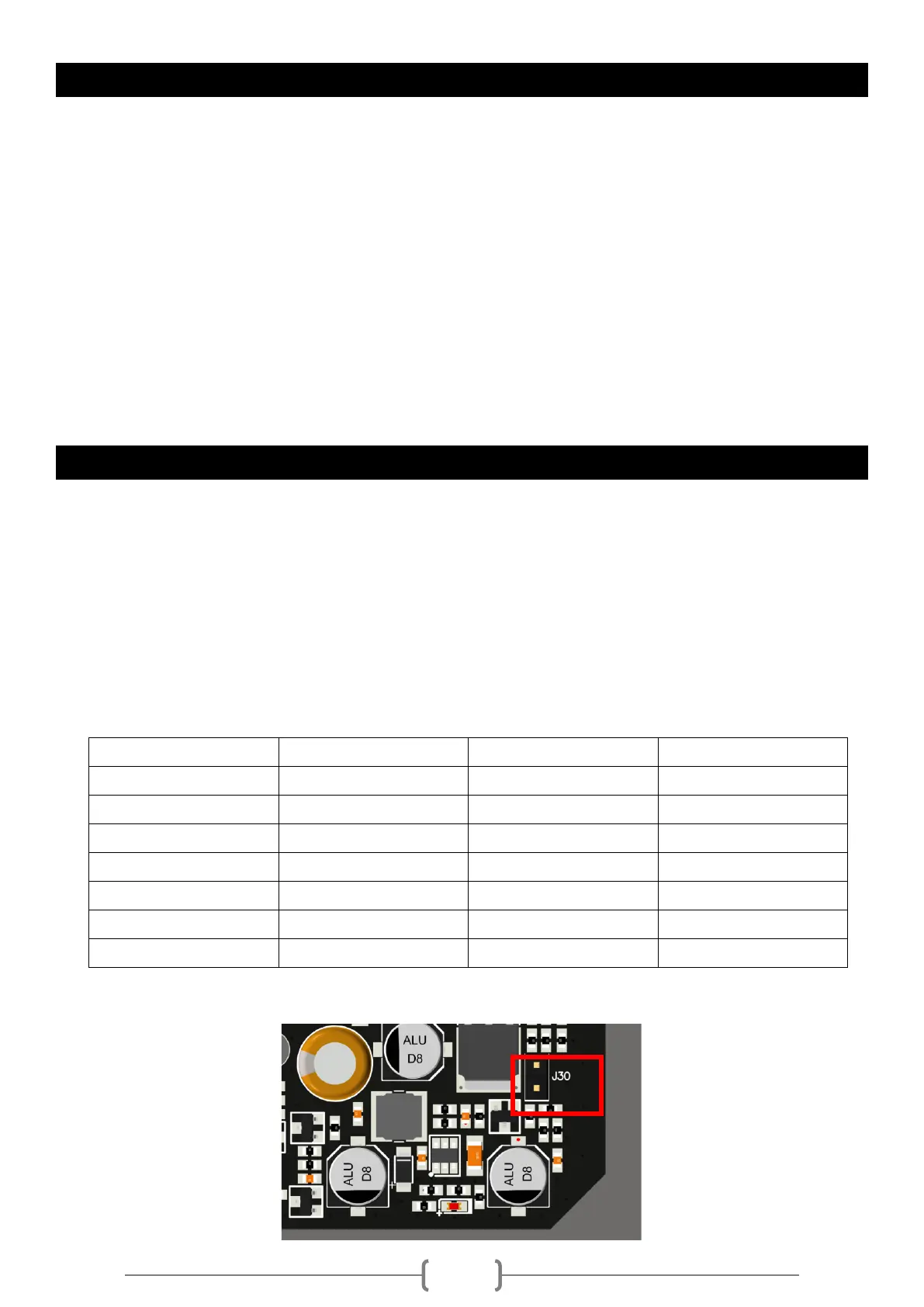
7. Op-amp supply voltage equal or lower 30V, a dedicated seng(J30) is MUST to set supply voltage to
30V, refer to below picture.


 To Next Page
 Loading...
