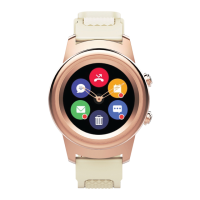
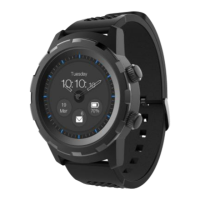
The 3Plus Hybrid Smartwatch, specifically the Callie model, is a sophisticated wearable device that combines the classic aesthetics of an analog watch with the advanced functionalities of a smartwatch. It is designed to track various activities, provide notifications, and display essential information like time, date, and weather, all while maintaining a stylish appearance.
Function Description:
The 3Plus Hybrid Smartwatch serves as a personal activity tracker, a notification hub, and a time-telling device. Its core function is to seamlessly integrate into the user's daily life, offering convenience and insights into their health and activities.
- Activity Tracking: The watch is capable of tracking workouts, steps, and other physical activities. It likely includes features such as a heart rate sensor to monitor cardiovascular health during exercise and throughout the day. The companion app, "3Plus Hybrid App," is central to managing and viewing this data, providing a comprehensive overview of the user's fitness progress.
- Timekeeping: As a hybrid watch, it features both mechanical watch hands for traditional time display and a digital touchscreen for smart functionalities. This dual display ensures that the watch always tells the correct time, even if the digital features are not actively used.
- Notifications: The smartwatch connects to a mobile device via Bluetooth to deliver notifications. This includes alerts for calls, messages, and other app notifications, allowing users to stay connected without constantly checking their phone.
- Weather Display: The watch face can display real-time weather information, such as temperature and conditions, for a specified location (e.g., Newark, as shown in the examples).
- Customization: Users can personalize their watch face, choosing from different designs to match their style or preference.
- Calibration: The watch includes a calibration feature to ensure the mechanical hands accurately reflect the current time, which is synchronized with the connected mobile device.
Important Technical Specifications (inferred from the manual):
- Display: Features a touchscreen display for interactive smart functionalities, overlaid with mechanical watch hands.
- Connectivity: Bluetooth enabled for pairing with mobile devices (smartphones).
- Battery: Requires at least 30% battery for setup. Charging is done via a dedicated charging dock with a USB charger port and an LED indicator.
- Sensors: Includes a Heart Rate Sensor on the back of the watch for health monitoring.
- Compatibility: Compatible with both Apple (iOS) and Android devices, requiring the "3Plus Hybrid App" available on the App Store and Google Play.
- Physical Buttons: Equipped with a "Top Button" and a "Bottom Button" for navigation and control.
Usage Features:
The 3Plus Hybrid Smartwatch is designed for intuitive interaction, combining touch gestures with physical button presses.
- App Download and Setup:
- Step 1: Download the app: Users must download the "3Plus Hybrid App" from their device's app store (Apple App Store or Google Play). It's crucial to ensure Bluetooth is enabled on the mobile device.
- Step 2: Sign up: Users create a new account within the app or sign in using existing Facebook, Twitter, or Gmail accounts.
- Step 3: Select your Hybrid Watch: From a list of devices, users select the "Callie Hybrid Watch."
- Step 4: Bluetooth On: Confirm Bluetooth is active on the mobile device.
- Step 5: Pairing: The watch is paired with the mobile device. The primary method is via QR code scanning. Users tap "Next" in the app, then use their phone's camera to scan a QR code displayed on the watch face.
- Step 6: Scan QR Code: Align the QR code on the watch with the viewfinder in the app. A successful scan automatically pairs the watch.
- Step 7: Calibration: After pairing, the watch hands need to be calibrated. Users tap "Start" in the app, hold the watch up to the camera, and align the watch case with an outline in the app. The watch hands will then adjust to the current time.
- Navigation:
- Long press: Used to change the watch face, allowing for personalization.
- Swipe right to left: Accesses the activity menu, likely showing data like steps, heart rate, and workout summaries.
- Swipe left to right: Opens the APPs menu, providing access to various smartwatch applications.
- Swipe up: Displays the Quick settings menu, for quick adjustments to watch settings.
- Swipe down: Shows the notification menu, where users can view alerts from their connected mobile device.
- Troubleshooting Tips:
- Keep the watch near the mobile device during setup.
- Ensure the watch has at least 30% battery before starting setup.
- If QR code pairing fails, a manual pairing method is available.
- If scan calibration fails, an alternate manual calibration method can be used.
- Manual Pairing Method:
- Instead of QR code, users select "Manual" in the app.
- They match a number displayed on the watch (e.g., "Callie #12345") with a corresponding number in the app.
- Tap "Ok" in the app when the correct number is selected.
- A pairing request is sent to the watch, which users confirm by tapping a green check mark.
- Manual Calibration Method:
- Tap "Start" in the app.
- Use the scale or +/- icons in the app to move the hour hand on the watch to the 12 o'clock position (indicated by a red dot). Tap "Next."
- Then, use the scale or +/- icons to move the minute hand to the 12 o'clock position.
- Once both hands are aligned, tap "Done." The watch hands will automatically adjust to the current time. Tap "Home" to return to the dashboard.
Maintenance Features:
- Charging: The watch is charged using a dedicated charging dock. The watch is placed on the charging surface, and the dock is connected via a USB charger port. An LED indicator on the dock shows the charging status.
- Software Updates: While not explicitly detailed, smartwatches typically receive software updates through their companion app to improve performance, add features, and fix bugs.
- Cleaning: Regular cleaning of the watch and sensors is recommended to maintain hygiene and ensure accurate readings.
Quick Tips:
- Existing 3Plus Elite Series app users can use their current login for the Hybrid App.
- Only one device can be paired to a 3Plus account at a time.
- If watch hands show incorrect time, sync the watch with the Hybrid app to correct it.
- For more information and troubleshooting, users can visit www.3plususa.com.
In summary, the 3Plus Hybrid Smartwatch Callie model is a user-friendly device that bridges the gap between traditional timepieces and modern smart technology, offering a blend of style, functionality, and convenience for everyday use.

 Need help?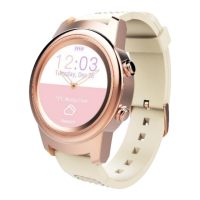

 To Next Page
 General