Need help?
Do you have a question about the 3SIXT 3S-0953 and is the answer not in the manual?
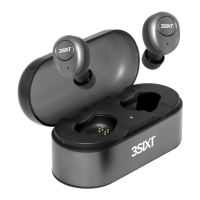
Explains how to turn the 3SIXT Studio Buds on and off using magnetic connectors.
Outlines the steps for powering the 3SIXT Studio Buds on and off.
Addresses problems with the buds not auto-connecting after the battery drains.
Helps users troubleshoot detection issues when searching for Bluetooth devices.
Offers solutions for problems encountered during Bluetooth device pairing.
Solves issues with audio playback or call handling after Bluetooth connection.
 General
| Connectivity | Wired |
|---|---|
| Driver Unit | 40mm |
| Frequency Response | 20Hz-20kHz |
| Cable Length | 1.2m |
| Connector | 3.5mm |
| Impedance | 32 Ohms |

 To Next Page