Watchdog NTC to F500 PGW CAI REV0 July 2014
Words 1 to 17 (pink) represent Watchdog 1. These are currently all 0 because watchdog
1 isn’t present at this time. Words 18 to 34 (green) represent Watchdog 2. Word 18
which is 0484 HEX tells us that the Watchdog is currently running at 1156 pulses per
minutes. Word 19 which is 2465 HEX tells us that the Watchdog is ‘running (24) at
101% (65) of the calibrated speed. The remainder of the information in the example can
be decoded using the information as previously described. Words 35 to 51 (blue)
represent Watchdog 3. Word 35 which is 0000 HEX tells us that the Watchdog is
currently NOT running. Word 36 which is 4100 HEX tells us that the Watchdog is in
fact NOT calibrated (41), see the Watchdog manual for more detail about calibration.
Diagnostics Display.
The F500 Elite is equipped with a simple RS232 serial interface. This interface can be
used to monitor the communications with the Watchdog Elite. The information displayed
contains diagnostic data about the Fieldbus module and Watchdog number 1. A VT100
or compatible display terminal should be used to display the information.
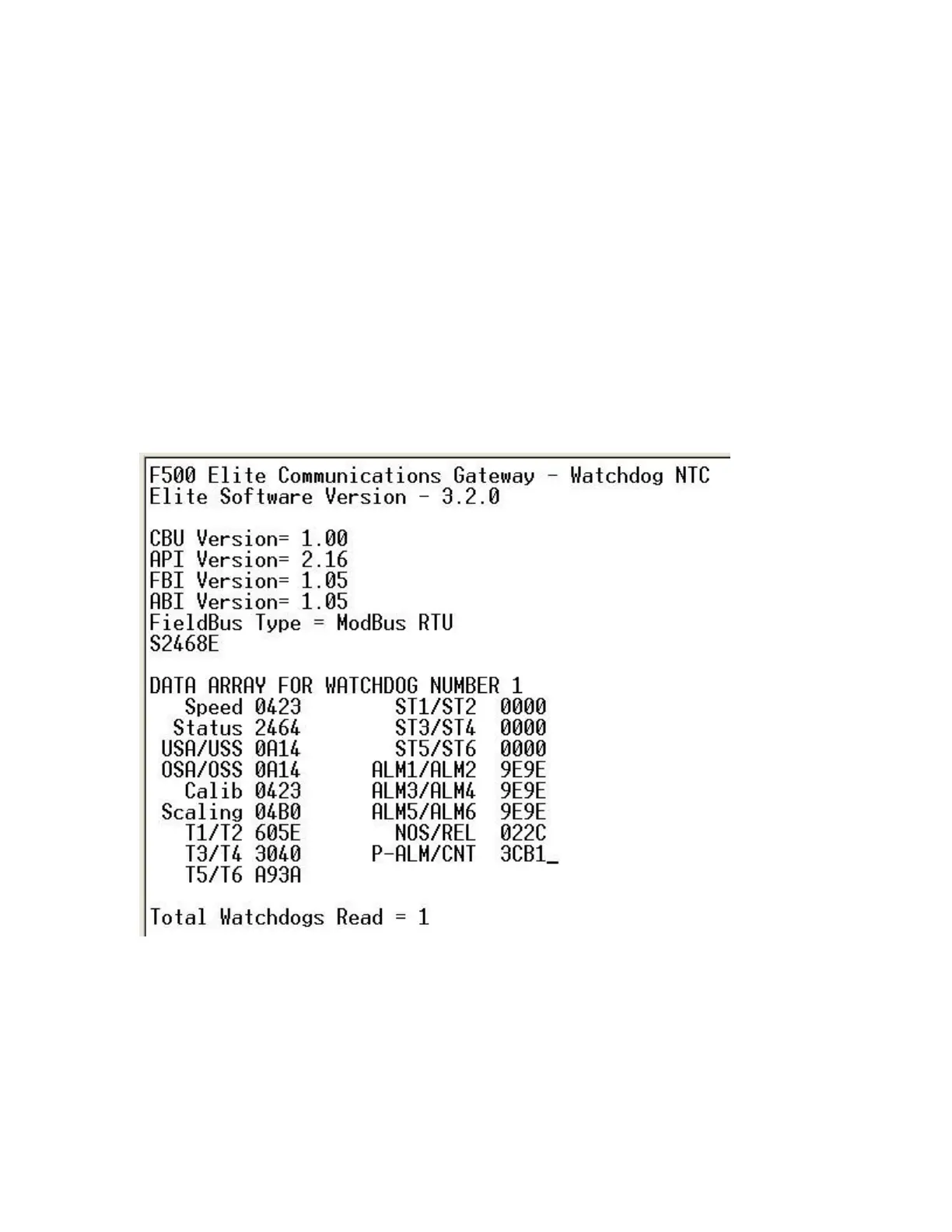
Above is an example screen image from the diagnostics display. The information
displayed will vary slightly dependent upon the fieldbus interface used.
CBU Version = X.XX – This is the control base unit software version.
API Version = X.XX – This is the application interface software version.
FBI Version = X.XX – This is the Fieldbus interface software version.
ABI Version = X.XX – This is the AnyBus interface software version.


 To Next Page
 Loading...