The F500 Elite is a Fieldbus adapter designed to function as a Watchdog Elite communications gateway. Its primary purpose is to network up to seven Watchdog NTC control units, allowing their data to be transmitted through the Fieldbus adapter to a Profibus DP network. The unit is housed in a self-contained wall-mounting enclosure and can operate from either 100-240V AC or 24V DC.
Technical Specifications:
- Electrical Supply:
- 100-240VAC +/- 10% 50/60Hz
- 24VDC +/- 10%
- Power Consumption: 12 WATTS
- Terminals:
- Power: 4mm² (14 AWG max)
- Communications: As appropriate to the Fieldbus module.
- Protection: NEMA4X, IP66
- Dimensions:
- Height: 9.7" (246mm)
- Width: 7.4" (188mm)
- Depth: 4" (102mm)
- Fixing Centres: 8.75" high x 4" wide (222mm x 102mm)
- Cable Entry: 2 Holes 1 1/8” DIA (28mm), ¾" CONDUIT
- Weight: 3lbs (1.3Kg)
- Power Dissipation:
- ATEX category 2D: 12 Watts
- ATEX category 3D: 25 Watts
- CSA (F5004NV4CAI-PGW): 12 Watts
- CSA (F5004NV46CAI-PGW): 12 Watts
Approvals:
- For V4 Model:
- CE 1180 Ex tb IIIC T125° Db IP66 TAMB -20°C to +50°C IECEx BAS05.0026X
- CE 1180 Ex II 2D Ex tb IIIC T125° Db IP66 TAMB -20°C to +50°C Baseefa04ATEX0131X
- CSA - Class II Div. 1, Groups E, F & G (F5004V4CAI-PGW - When Powered with a Class 2 Power Supply)
- For V46 Model:
- CE 1180 Ex te IIIC T125° Dc IP66 TAMB-20°C to +45°C IECEx BAS11.0018X
- CE 1180 Ex II 3D Ex tc IIIC T125° Dc IP66 TAMB -20°C to +45°C Baseefa11ATEX 0033X
- CSA - Class II Div. 2, Groups F & G (F5004V46CAI-PGW)
- Suitable for use in Hazardous Locations Zone21 / Cat2D / CL II Div 1 GPS E, F & G (V4) when powered with a Class2 power supply.
- Suitable for use in Hazardous Locations Zone22 / Cat3D / CL II Div 2 GPS F & G (V46).
Usage Features:
The F500 Elite features a plastic enclosure housing the electronics, including power supply circuitry, a microprocessor, a Fieldbus card, and terminals. It is designed to accommodate eight common Fieldbus interfaces.
The adapter is equipped with three communication ports: RS232, RS485, and Profibus DP.
- RS232 Port: This simple interface is used for diagnostic purposes. Data from this port is formatted for a VT100 display terminal or compatible terminal emulator, operating at a fixed data rate of 9600, N, 8, 1.
- RS485 Port: This is a four-wire, twin twisted pair full duplex serial port specifically configured for the Watchdog communications network. It is not recommended to connect other devices unless monitoring Watchdog data directly.
- Profibus DP Interface:
- Transmission media: Profibus bus line, type A or B (EN50170).
- Topology: Slave configuration.
- Connector: 9-pin female DSUB.
- Cable: Shielded copper; twisted pair.
- Isolation: Optically isolated bus A and B termination.
- Address Range: 1-99, selected by an on-board switch. The left-hand switch sets the tens digit, and the right-hand switch sets the unit digit. Changing the address requires a power reset. The default address is 77.
- Data Size: Maximum cyclic I/O data size of 244 bytes.
- Termination: Optional bus termination, switch selectable. If the F500 Profibus interface card is the first or last module on the Profibus network, the termination switch should be set to ON; otherwise, it should be OFF.
- Status Indication: LED status indicators are grouped in a single block of four.
- Led 1: Not Used.
- Led 2 (Green, Solid on): Module is ON-LINE and data exchange is possible.
- Led 3 (Red, Solid on): Module is OFF-LINE and data exchange is not possible.
- Led 4 (Red):
- 1 Hz: Interface board initialization failure.
- 2 Hz: Network configuration does not match module configuration.
- 4 Hz: Initialization failure of the Profibus interface IC.
The F500 Elite automatically reads data from up to 7 Watchdog controllers. This data is processed and stored in a fixed format within the input data table. Word 0 (Byte 1) indicates the number of responding Watchdogs. Each Watchdog's data is stored in 17 consecutive words (34 bytes), with the first two bytes representing speed and the next two representing status.
Watchdog Speed Encoding:
Speed is encoded using four hexadecimal digits. The rightmost 3.5 digits represent the speed value, and the upper half of the fourth digit indicates the decimal place position for scaling.
- '00' (bits 7-6): No scaling needed.
- '01' (bits 7-6): Divide by 10.
- '10' (bits 7-6): Divide by 100.
- '11' (bits 7-6): Not used.
Watchdog Status Encoding:
Two data bytes represent the status: the first byte (Byte 5) is the status code, and the second byte (Byte 4) contains associated data. All data is in hexadecimal. Status codes cover various conditions, including calibration, belt slip, over-calibration, misalignment, running within limits, alarm conditions (under/over speed, temperature), and sensor faults.
Relay Status (Byte 32):
This byte provides information on the status of Watchdog LEDs and relays. Converting it to binary helps interpret its contents. The left four bits are always '0000' and can be ignored. The right four bits indicate the condition of the STOP Led, ALARM Led, STOP Relay, and ALARM Relay (1=ON, 0=OFF).
Persistent Alarm Value (Byte 35):
For NTC only, this indicates the time in seconds before the elevator stops due to a temperature alarm. Default is 'B4' (180 seconds).
Update Counter (Byte 34):
Increments by 1 each time the F500 successfully receives information from a Watchdog. It cycles from 0 to 255. This helps monitor data freshness, as serial communications are low priority and requests may be ignored occasionally.
Diagnostics Display:
The F500 Elite has an RS232 serial interface for monitoring communications with the Watchdog Elite. A VT100 or compatible terminal displays diagnostic data about the Fieldbus module and Watchdog number 1. This includes software versions (CBU, API, FBI, ABI), Fieldbus type, and a data array for Watchdog number 1, showing speed, status, alarm levels, temperatures, and sensor information. The sequence S2468E indicates correct system initialization; deviations suggest a problem.
Diagnostics LED:
A red LED on the main circuit board, above the RS485 connections, flashes every time the F500 attempts to communicate with the Watchdogs. A consistent flash rate followed by a short pause indicates normal operation (the F500 is updating internal information). Deviations from this pattern suggest a problem.
Maintenance Features:
- Opening the Lid: Requires disconnecting power (isolating all circuits), untightening screws, and carefully opening the lid to avoid damaging the gasket.
- Closing the Lid: Requires checking the gasket for correct fit and damage, tightening screws, and ensuring the lid and box are correctly mated.
- Special Conditions of Use:
- Equipment must be suitably earth bonded via the PCB mounted earth terminal inside the enclosure.
- The equipment is a potential static hazard; clean only with a damp cloth.
- Do not allow dust layers to build up on the equipment.
- Installation: The Control Unit box should be installed in a suitable control or starter switch room with enough space to open the lid for wiring. It is susceptible to static voltage, so a clean ground connection to terminal 29 is essential, and static handling precautions should be taken.
- Troubleshooting (Check List):
- Check for excessive electrical interference; power conditioners/surge suppressors may be needed.
- Ensure Watchdog and Fieldbus wiring is routed away from power cables.
- Verify proper grounding of the F500 Elite circuit.
- Check for microprocessor overheating; consider a temperature-controlled environment if ambient temperature exceeds 104°F (40°C).
- Avoid operating high-powered "Walkie Talkie" radios near the control unit or Watchdogs.
- Confirm correct communication/power cable connections as per drawings A, B, C, and E.
- Check for any exception status reported.
- If only partial diagnostics data is displayed, cycle power to the F500 Elite (without removing power to the display terminal).
- If Watchdogs are unresponsive or intermittent, check termination resistors.

 Need help?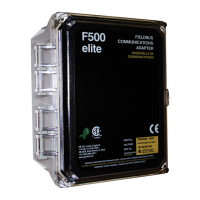

 To Next Page
 General