Need help?
Do you have a question about the 4smarts Eara SkyPods and is the answer not in the manual?
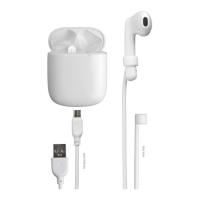
Lists numbered parts of the headset and charging case including indicators, controls, and accessories.
Instructions for connecting the charging cable and charging the device.
Steps to pair the headphones with a smartphone via Bluetooth.
Details on automatic power off and manual power on for the headphones.
Explains LED status during charger and headphone recharging.
Describes how to use the multifunction key for playback, calls, and voice assistant.
How to pause, resume, and skip tracks using the multifunction key.
Instructions for answering, rejecting, and switching calls using the multifunction key.
Instructions on how to attach the headphones to the neck strap.
Steps to resolve problems with setting up Bluetooth connection.
Tips for improving communication clarity and reducing interference.
 General
| Type | True Wireless Stereo (TWS) |
|---|---|
| Connectivity | Bluetooth 5.0 |
| Frequency Response | 20 Hz - 20 kHz |
| Microphone | Yes |
| Charging Port | USB-C |
| Battery Life (earbuds) | Up to 4 hours |
| Wireless Range | Up to 10 meters |
| Water Resistance | IPX4 |
| Charging Time | 1.5 hours |

 To Next Page