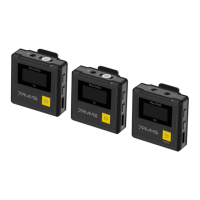
1. 3.5mm TRS/TRRS Monitoring Port
Plug in 3.5mm TRS/TRRS headphones to monitor; When in Stereo mode, A is the left channel and B is the
right channel
2. 3.5mm TRS Audio Output Port
Plug in 3.5mm TRS-TRS/TRS-TRRS audio output cable to connect the receiver and the related device
3. Pairing&A/B Channel Output Gain Control Button:
Long press the A/B pairing button synchronously to make the receiver enter the pairing state; Short press to
cyclically adjust the A/B channel output gain
4. USB-C Charging/Audio Output Port
Connect the receiver and the corresponding device through the 3-in-1 charging/audio output cable for
charging or digital output
5. Power/Mono/Stereo/Safety Mode Switch Button
Long press for On/Off; Short press to switch between Mono, Stereo, and Safety mode; It can not realize
STEREO function when in single-channel and safety mode
Long press the power button for 10 seconds to reset it when the receiver is in crashes or unable to
turn on
7



 To Next Page