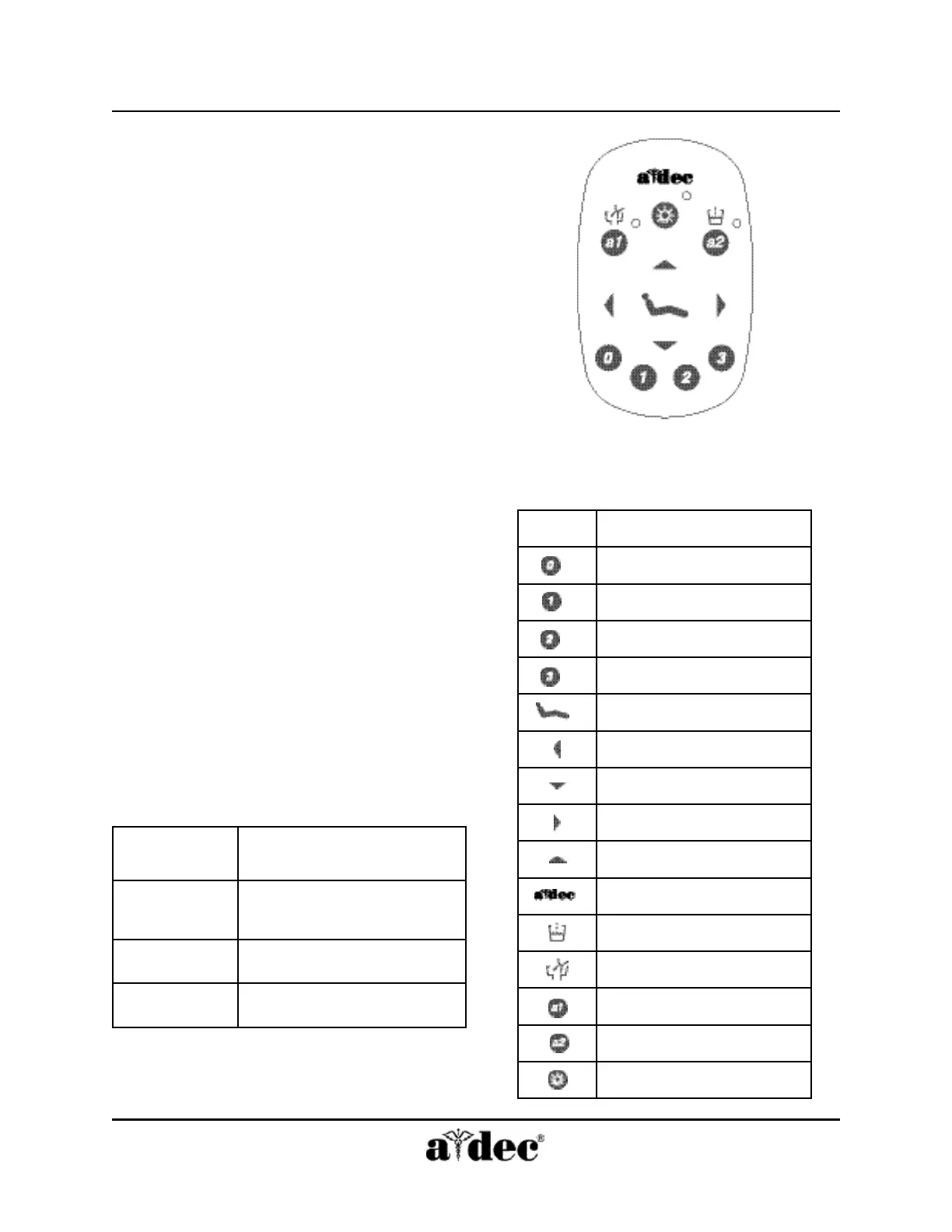
Touchpad
A-dec 500 Assistant’s Instrumentation
Page 8 86.0603.00
How to Operate Your
Standard Touchpad
Manual Chair Controls
The Base function controls chair lift, or vertical
movement. To raise the chair, press the up arrow.
To lower the chair, press the down arrow. Hold
down the arrow until the chair reaches the desired
height, then release it.
The Back function controls the chair back. To raise
the chair back, press the right arrow. To lower the
chair back, press the left arrow. Hold down the
button until the chair back reaches the desired
position, then release it.
Program Button
Use the Program button located in between
the arrows on the touchpad to save the settings for
chair positions and cuspidor cup fill and bowl
rinse times.
Position 0 (Entry/Exit)
Pressing Entry/Exit (Position 0) sends the chair to a
preset entry/exit position.
Positions 1 and 2
Pressing Position 1 or 2 on the touchpad sends the
chair base and back to a preset position.
Pressing this
position . . .
Causes this action . . .
Entry/Exit (0)
Chair base and back move to
the preset entry/exit position.
Position 1 or 2
Chair moves to a programmed
operating position.
Position 3
Chair back moves to an
x-ray/rinse position.
Icon
Description
Entry/exit
Position 1
Position 2
Position 3 (x-ray/rinse)
Program button
Back down
Base down
Back up
Base up
Status icon
Cup fill
Bowl rinse
a1 A-dec Relay Module
a2 A-dec Relay Module
Light
Figure 7 Functions on the Standard
Touchpad.



 To Next Page