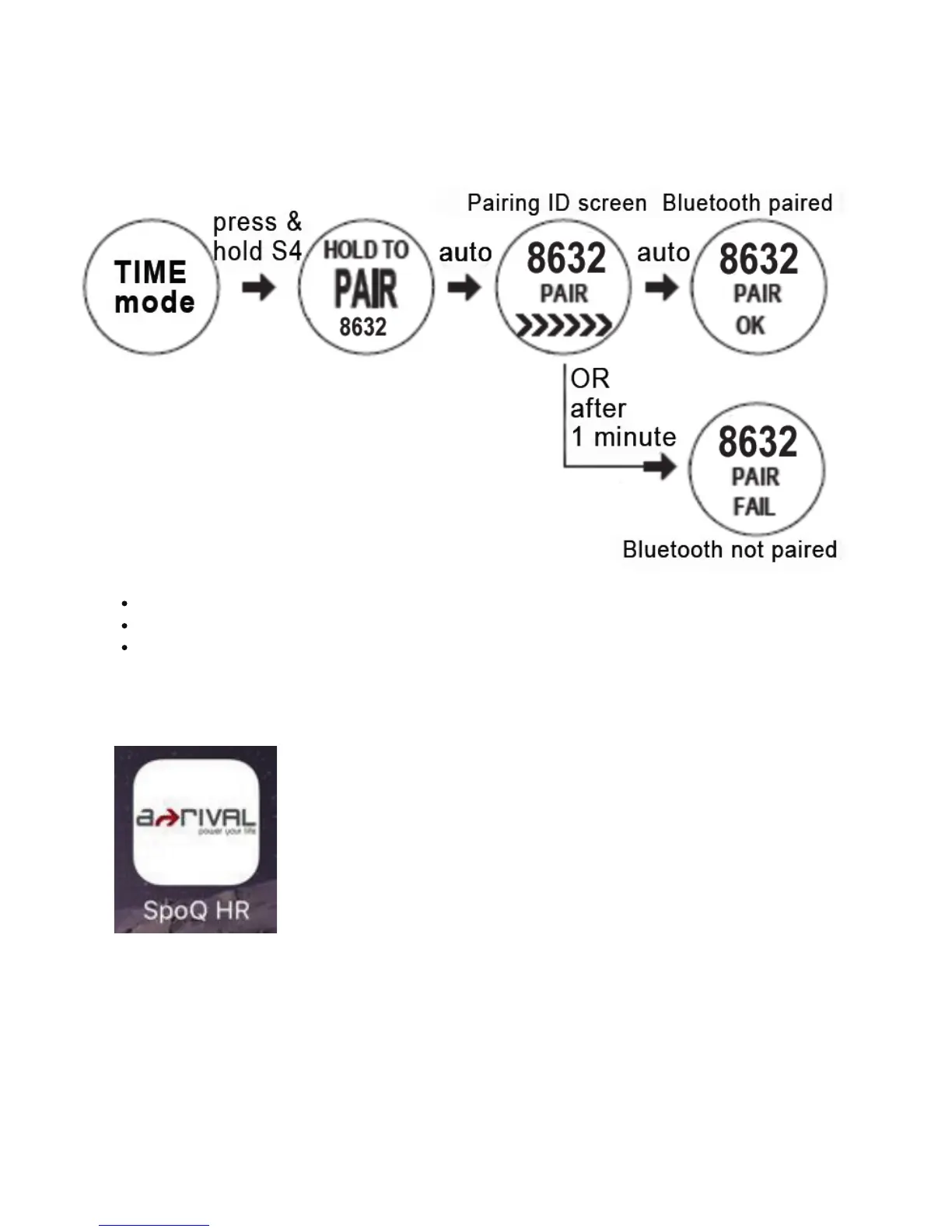
How to pair the watch with Smartphone:
1)
Press and hold S4 while in Time mode. The “HOLD TO PAIR” appears followed by
pairing ID screen.
Notes:
If pairing is successful, the watch will display “PAIR OK”.
If pairing is not successful, the watch will display “PAIR FAIL” after 1 minute.
In any TIME screen, press and hold S4 button to turn off the Bluetooth.
2) Open the App on your Smartph one to pair.


 To Next Page