31 32
Volume keys
• Adjust the call volume during a phone call.
• Adjust the media volume while listening to
music or a video, or streaming content.
• Adjust the ringtone volume.
• Mute the ringtone of an incoming call.
• While using the Camera app, press the Volume
up or down key to take a photo or touch and
hold to take several photos.
• Double-press the Power key to open the
camera.
• Convenient operations
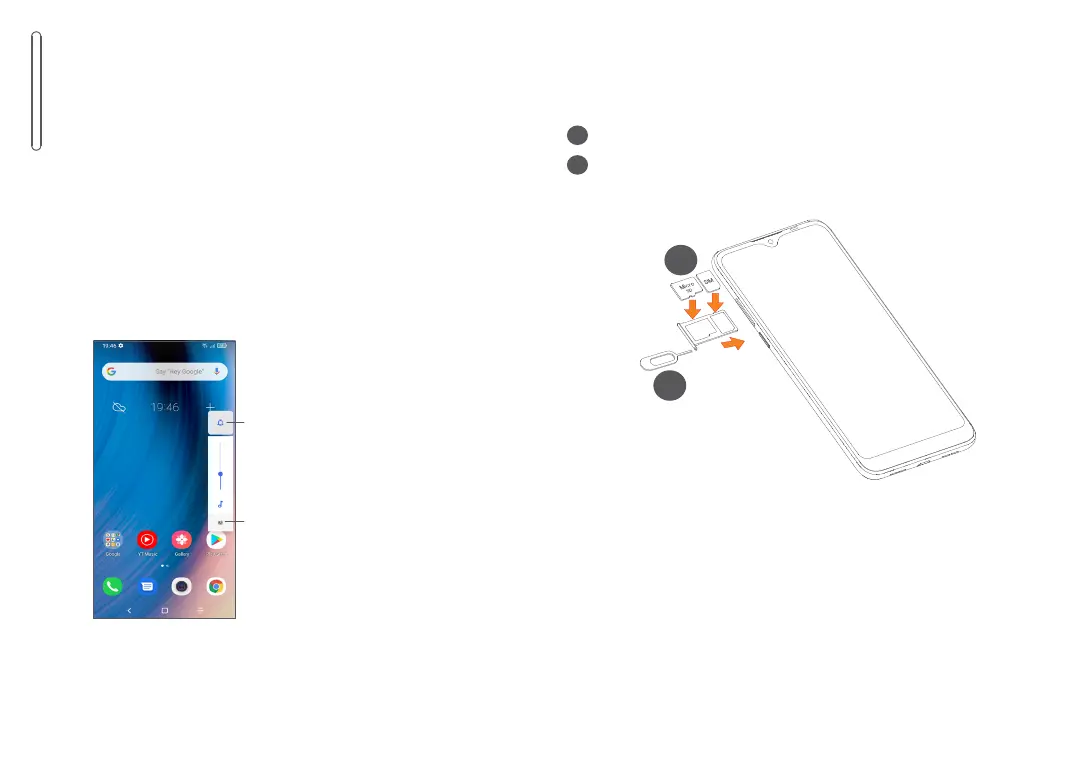
Touch to switch
between Sound,
vibrate and Mute
Touch to adjust the
volume of media,
calls, ringtones,
alarms or notifications
1.2 Getting started
1.2.1 Setting up
1
Insert the pin into the hole and pull out the tray.
2
Insert or remove your SIM card or microSD card.
Single-SIM
2
1



 To Next Page