73 74
1
4
3
2
1
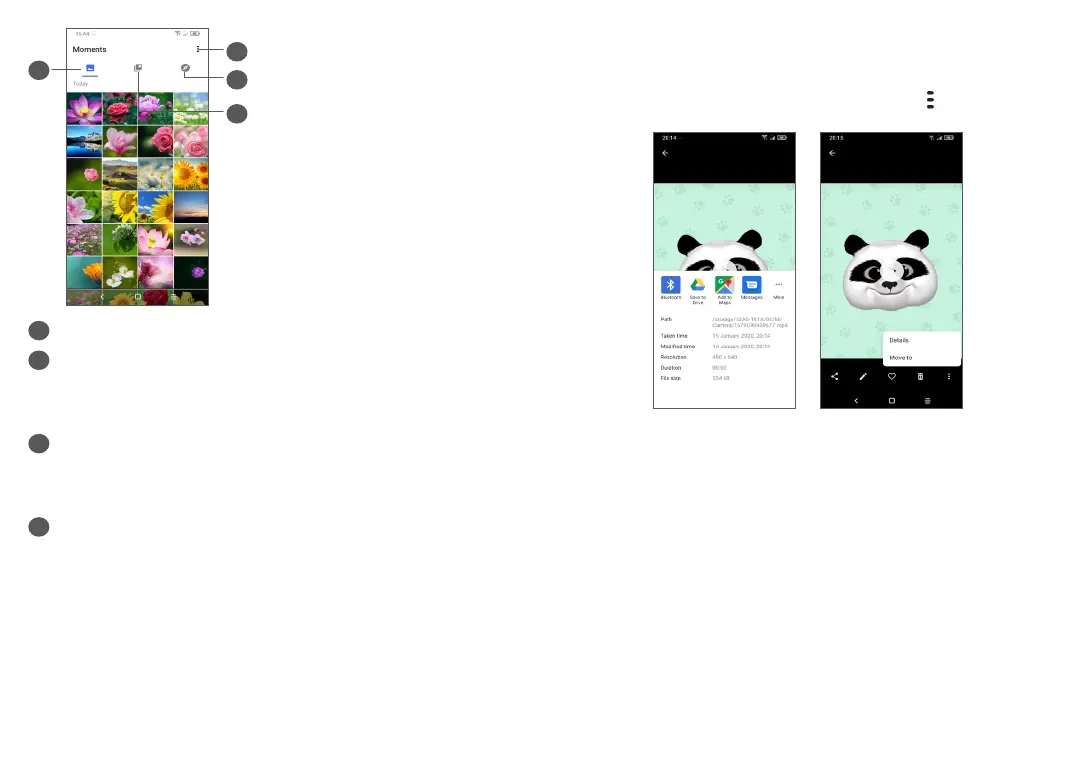
Tap to access more options
2
Explore
Explore collects photos into groups making them
more easy to find
3
Albums
Photos, videos, screenshots, etc. are all automatically
grouped in Albums
4
Moments
View the photos/videos you have just taken
View details about photos and videos
Touch any picture or video to enter full screen view,
swipe up to find basic information or tap
to find more
details.
Working with pictures and videos
Gallery offers a wide range of editing features for
photos and videos.
• To edit a picture
Find the picture you want to work on, and tap the
picture in the full screen view.



 To Next Page