
 Need help?
Do you have a question about the AA RoadPatrol 3823 and is the answer not in the manual?
Warnings regarding water exposure, unauthorized servicing, and choking hazard from small components.
Cautions cover windscreen mounting, power disconnection, cleaning, and compliance with local laws.
Warnings about distraction while driving, safe vehicle installation, and battery handling.
Understand legal requirements regarding privacy, personal use, and data protection for video footage.
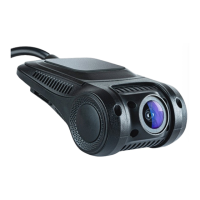
Details of the Dash Cam's technical specifications including sensor, resolution, storage, and connectivity.
Plug the power cable into the 12/24V outlet; the Dash Cam powers on automatically when power is available.
Position the Dash Cam behind the rear view mirror, avoiding the driver's direct line of sight.
Do not operate or adjust settings while driving; the Dash Cam records automatically when ignition is on.
Link the Dash Cam and smartphone by connecting to the 'AA RoadPatrol' Wi-Fi network.
Follow specific Wi-Fi connection steps for iOS and Android devices using passcode '12345678'.
Configure video settings such as Resolution, Exposure, Motion Detection, and Loop Recording intervals.
Utilize G-Sensor for collision detection and Park Mode for recording when the vehicle is off.
Remove Micro-SD card from Dash Cam (when off) and insert into an adaptor for PC connection.
DSL warrants products against defects in materials and workmanship for one year.
 General
| G-sensor | Yes |
|---|---|
| Loop Recording | Yes |
| Resolution | 1920x1080 |
| Video Resolution | 1080p |
| Storage | MicroSD card (up to 32GB) |
| Battery | Rechargeable lithium battery |

 To Next Page