34 MS-70 / MX-50 / MF-50 / ML-50
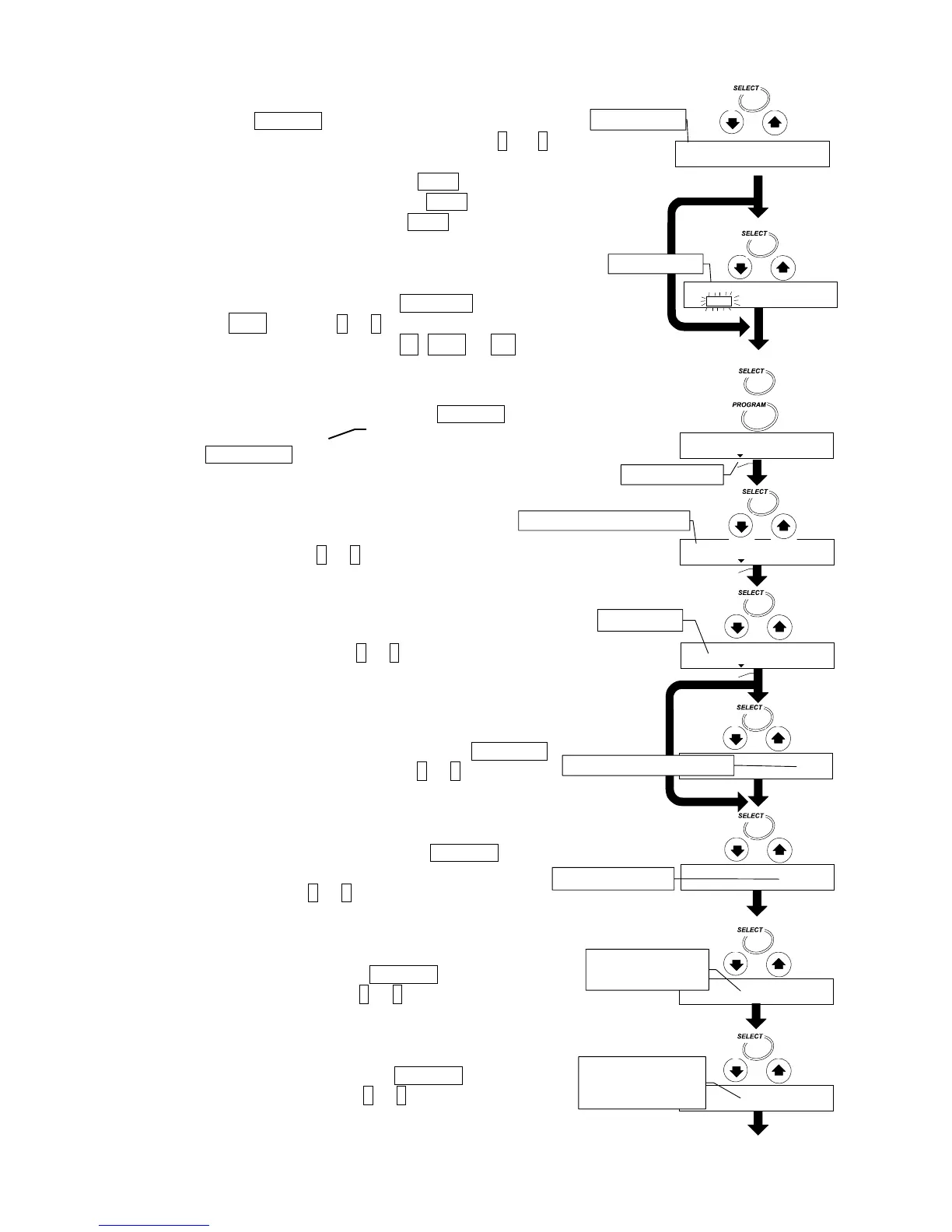
Select an Analysis Mode
5. Press the SELECT key to select a symbol, it will
blink. Select an analysis mode using the ↓ or ↑
key.
If standard mode is used, select 5td .
If automatic mode is used, select U-a .
If manual mode is used, select U-m .
Set ACCURACY for Standard Mode
6. Select ACCURACY with the SELECT key.
Select MID. with the ↓ or ↑ key.
When ACCURACY is selected, HI, MID. or LO blinks.
Set the Heating Pattern
7. Select drying temperature with the SELECT key.
Select ramp drying of heating pattern with
the PROGRAM key.
Set the Final Drying Temperature
8. Set 160°C with the ↓ or ↑ key.
Set the Ramp Time
9. Set 5.0 minutes with the ↓ or ↑ key.
Set the Preset Termination Value for Automatic Mode
10. Select preset termination value with the SELECT
key. Select 0.05 [%/min] with the ↓ or ↑ key.
Set the Measurement Unit
11. Select measurement unit with the
SELECT key.
Select a moisture content (based on a wet
sample ) with the ↓ or ↑ key.
Set the Minimum Scale Value of the % Display
12. Select % display with the SELECT key.
Select 0.01 [%] with the ↓ or ↑ key.
Set the Minimum Scale Value of the Gram Display
13. Select gram display with the SELECT key.
Select 0.001 [g] with the ↓ or ↑ key.
Automatic
mode
0"%
"M"O"I"S"T
"/"W
"0."0"1%
"0."0"0"1g
0.000g
"1"6"0°C



 To Next Page