EasyManua.ls Logo

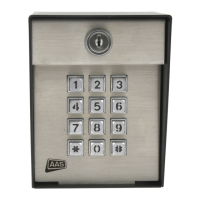
AAS ADVANTAGE DKE 26-100L - User Manual

AAS ADVANTAGE DKE 26-100L
12 pages
Print Icon
To Next Page IconTo Next Page
Loading...
ADVANTAGE DKE
MODEL 26-100L
User/Installation
Manual
www.americanaccess.com
“Your Partner in Access Control”
Question and Answer IconNeed help?

Do you have a question about the AAS ADVANTAGE DKE 26-100L and is the answer not in the manual?

Summary

TECHNICAL;CUSTOMER SUPPORT

STEP 1-MOUNTING THE UNIT

STEP 2-SYSTEM CONNECTIONS

OPERATING MODES AND PROGRAMMING

THE MASTER CODE AND ACCESS CODES

Explains the function of the MASTER CODE and ACCESS CODES for programming the Advantage DKE unit.

SETTING OR RESETTING THE MASTER CODE

Provides step-by-step instructions on how to set or reset the MASTER CODE for the Advantage DKE unit.

PROGRAMMING SUB-MODES

Sub-Mode 3 (Change Master Code)

Instructions for changing the current MASTER CODE of the Advantage DKE unit.

ADVANCED PROGRAMMING OPTIONS

30 - 023 Board Layout

CUSTOMER SERVICE AND TECH SUPPORT

AAS ADVANTAGE DKE 26-100L Specifications

General IconGeneral
CategoryKeypad
Number of keys26
InterfaceUSB
ModelDKE 26-100L
Key typeMembrane
CompatibilityWindows

Related product manuals