EasyManua.ls Logo

AAVA MOBILE Inari 8 - User Manual

AAVA MOBILE Inari 8
31 pages
Print Icon
To Next Page IconTo Next Page
Loading...
Inari 8 (INARI8B) Quick-Start-Guide EN-DE-FR
Inari 8 Quick Start Guide
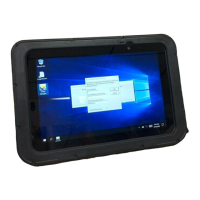
Inari features, buttons & interfaces
Front
1
Ambient Light Sensor
Recognizes the ambient light and adjusts the display brightness if enabled in the
operating system
2
Front microphone outlet
3
Front camera
2MP camera for video conferencing
4
Camera Indicator LED
Lights up if camera is activated and during device boot and shutdown
5
Charging indicator LED
OFF not connected to charger
ORANGE charging
GREEN connected and fully charged
RED charge fault
6
Second microphone outlet
1
3
4
5
2
6
Question and Answer IconNeed help?

Do you have a question about the AAVA MOBILE Inari 8 and is the answer not in the manual?

Summary

Inari Features, Buttons & Interfaces

Front Panel Components

Details the front panel components: Ambient Light Sensor, microphones, camera, and indicator LEDs.

Top Side Controls

Details the On/Off button and Volume key located on the top edge of the device.

Side and Bottom Ports

Details the docking connector, USB-C port, and stereo speakers on the device's sides.

Replacing Battery and Adding SIM;Memory Card

First-Time Tablet Usage and Troubleshooting

Initial Setup Steps

Guides on connecting power, turning on the tablet, and completing initial setup.

Troubleshooting Common Issues

Addresses device freezes and connectivity issues with USB3.0 and WLAN.

Important Product and Safety Information

Battery Safety Guidelines

Regulatory Compliance and RF Exposure

Radio Frequency Interference Requirements

AAVA MOBILE Inari 8 Specifications

General IconGeneral
BrandAAVA MOBILE
ModelInari 8
CategoryTablet
LanguageEnglish

Related product manuals