EasyManua.ls Logo

ABB Zenith 50P-2035 - User Manual

ABB Zenith 50P-2035
27 pages
Print Icon
To Next Page IconTo Next Page
Loading...
OPERATION AND MAINTENANCE MANUAL
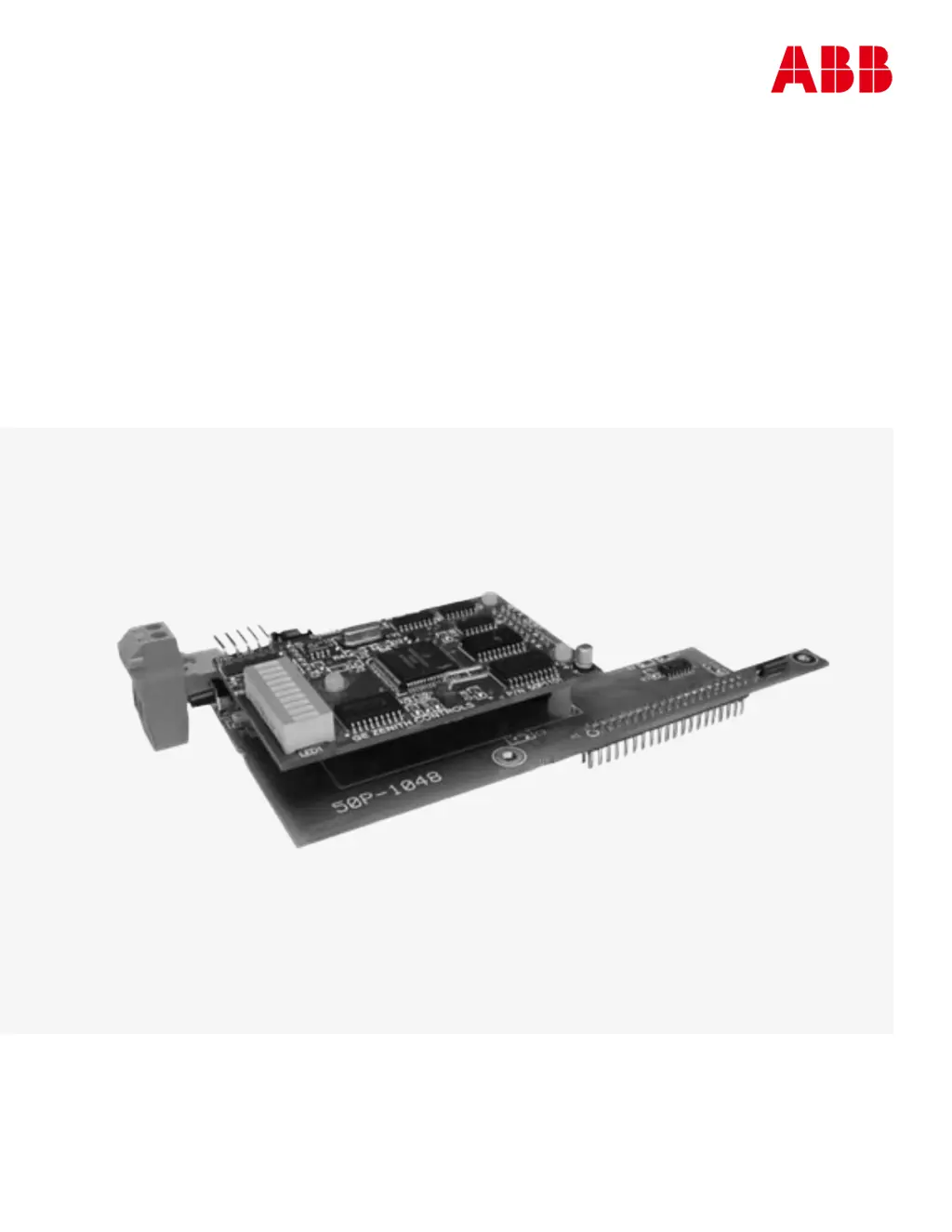
Zenith Modbus Network Card 50P-2035
For MX150/MX250 (MX Version 6.0+ Only)

Questions and Answers

  • J
    jennifergoldenAug 13, 2025
    What to do if ABB Zenith 50P-2035 returns Illegal Data Address exception response to a write query?
    • N
      Nathan JonesAug 13, 2025
      If you receive an Illegal Data Address exception response to a write query, ensure that the Holding Register or Coil address is within the valid range and that you are not attempting to write to a Read-Only register or coil. When using Write Multiple Holding Register or Coil commands, ensure the range does not include Read-Only registers; if it does, break the request into sections containing only Read/Write registers. If the issue persists, you may need to enable the feature associated with the register in the User Configuration Menu on the controller HMI. Also, avoid writing non-zero data to nonprogrammable date registers for CDP Exercisers. Finally, ensure you are using the correct command and range when writing CDP Exerciser or System Time registers.
  • S
    samanthastoneAug 18, 2025
    Why does ABB Zenith 50P-2035 show Slave Device Busy exception response to Modbus query?
    • C
      codystevensAug 18, 2025
      If you get a Slave Device Busy exception response to a Modbus query, it might be because the controller has recently restarted after a power failure and is still initializing the Modbus Card with new data. In this case, wait a few seconds to allow the controller to complete the initialization. Alternatively, the controller might be waiting for the In-Phase Monitor to detect phase synchronization.
  • G
    grodriguezAug 23, 2025
    What causes the Illegal Data Value exception response to a write query on ABB Zenith 50P-2035?
    • T
      Tracy BrownAug 23, 2025
      If you receive an Illegal Data Value exception response to a write query, it means that the data value being written is either too high or too low. Refer to Appendix B for the allowed maximum and minimum data ranges. Additionally, the data value might violate a minimum offset with respect to another register; again, consult Appendix B for minimum data offsets.
  • K
    Kristie OconnorAug 28, 2025
    What to do if all LEDs are off on the ABB Zenith 50P-2035 LED module?
    • S
      Sara WilliamsAug 28, 2025
      If all LEDs on the LED module are off, first ensure that the Modbus card is correctly installed on the controller and that the controller is receiving power. If these steps do not resolve the issue, the Modbus card may be damaged.
  • P
    Patrick BoydNov 3, 2025
    Why is there no communication between the ABB Zenith 50P-2035 and the Master device?
    • D
      David GuerraNov 3, 2025
      To resolve communication issues between the Modbus card and the Master device, first ensure the controller is powered on. Verify that the Modbus card address matches the address you are communicating with. Check the wire connection between the Master and the Modbus card, ensuring it's properly connected. Use twisted pair wire for the network connection. Remove the J4 configuration jumper. Confirm that the polarity markings (A & B) are correctly connected on both the Modbus card and the converter. If it is the last slave in the chain, install the termination jumper, J6, and make sure no other devices have jumper J6 installed. Ensure the Modbus card communication settings match the Master's settings, including baud rate, data bits, parity, stop bits, and protocol. If the twisted pair wire le...
  • C
    Christopher DeanNov 7, 2025
    How to troubleshoot trouble configuring the Modbus ABB Zenith 50P-2035?
    • S
      Sean HillNov 7, 2025
      If you encounter issues configuring the Modbus card, start by ensuring the Modbus card is properly installed on the controller and that the controller is receiving power. Check for the presence of the configuration jumper J4, and install it if it's missing. Verify that the wire between the RS232/485 converter and Modbus card is correctly connected, referring to Appendix D for proper connections. Ensure that the polarity connections are correct, matching A & B on the Modbus card to A & B on the converter. Confirm that you've selected the correct com port and baud rate, referencing Appendix D if needed. Ensure the RS232/485 converter is connected to the PC's serial port. Note that the combination of ASCII Mode, No Parity, and 1 Stop Bit is not supported; select an alternative communication s...

Summary

Overview of Zenith Modbus Network Card

LED Indicator Functionality

Displays slave address, transmit/receive status.

Status 0 Register Example

Example of reading Status 0 register data bits.

Installation and Configuration Procedures

Installing the Modbus Card

Step-by-step guide for physical installation.

Termination Resistor Setup

Jumper J6 configuration for network termination.

Configuring Modbus Network Card Settings

Procedure for setting slave address, baud rate, etc.

Testing the Modbus Network

Steps to verify network communication and card functionality.

CDP Programmable Exercisers

Details on using CDP exercisers for generator testing.

CDT Exercisers

Details on using CDT exercisers for generator testing.

Operation Modes and Features

Setting System Time

Controlling and reporting the controller's system clock.

In-Phase Monitor Bypass

Procedure to bypass the In-Phase Monitor during synchronization.

Battery Backup Operation

Data availability and reliability when on battery power.

Appendix A - Read Only Register List

Appendix B - Read;Write Register List

Appendix C - Modbus Network Card Diagram

Appendix D - Modbus Card Configuration Connections

Appendix E - RS485 Multi-Drop Connection

Appendix F - Modbus Card Installation on Controller

Appendix G - Modbus Protocol Functions

Read Coil Status (Function Code 01)

Query/response for reading coil ON/OFF status.

Read Holding Register (Function Code 03)

Query/response for reading holding registers.

Write Single Coil (Function Code 05)

Forcing a single coil ON or OFF.

Write Single Holding Register (Function Code 06)

Modifying the content of one holding register.

Write Multiple Coils (Function Code 15)

Forcing multiple coils ON or OFF.

Write Multiple Holding Registers (Function Code 16)

Setting values for multiple holding registers.

Appendix H - Controller Configuration for Modbus

Bill of Materials

Troubleshooting Modbus Issues

ABB Zenith 50P-2035 Specifications

General IconGeneral
BrandABB
ModelZenith 50P-2035
CategoryNetwork Card
LanguageEnglish