å
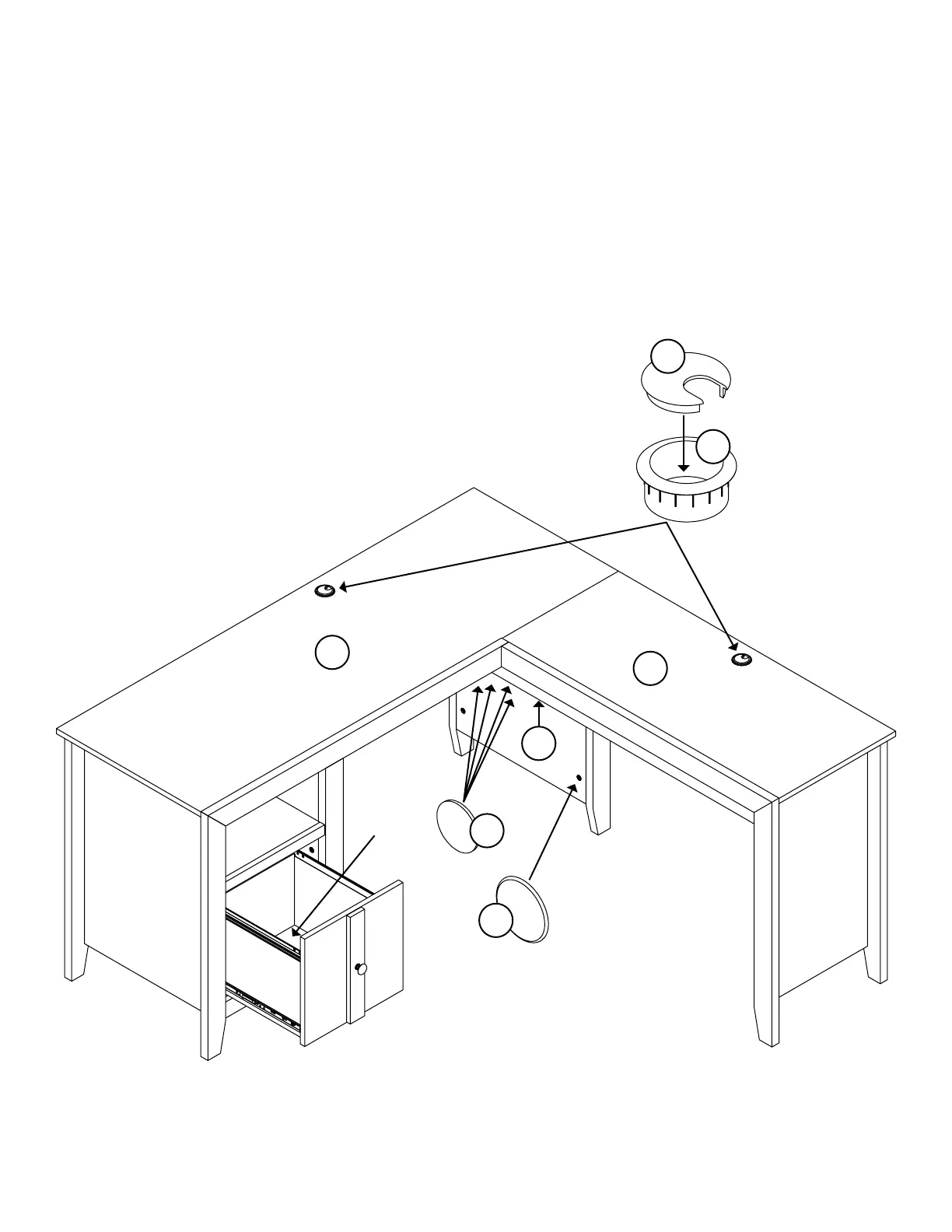
To insert the drawer into your unit, line up the EXTENSION
SLIDES on the drawer with the EXTENSION RAILS on the
unit and push the drawer into the unit until the drawer is
fully inserted. The drawer will push in hard until it is all the
way in, then it will slide in and out easier.
å
Insert a GROMMET (10P) and GROMMET CAP (1P) into
each lare hole in the TOPS (C and S).
å
Usin your hammer, ently tap a CAM COVER (19P) onto
each visible HIDDEN CAM.
å
Center a SCREW COVER (17P) over the head of each
SCREW in the LARGE MODESTY PANEL (T) and ently
tap in with your hammer.
Step 32
Pae 37
1P
10P
C
S
55 lbs.
45 lbs.
19P
35 lbs.
15 lbs.
17P
T


 To Next Page
 Loading...