å
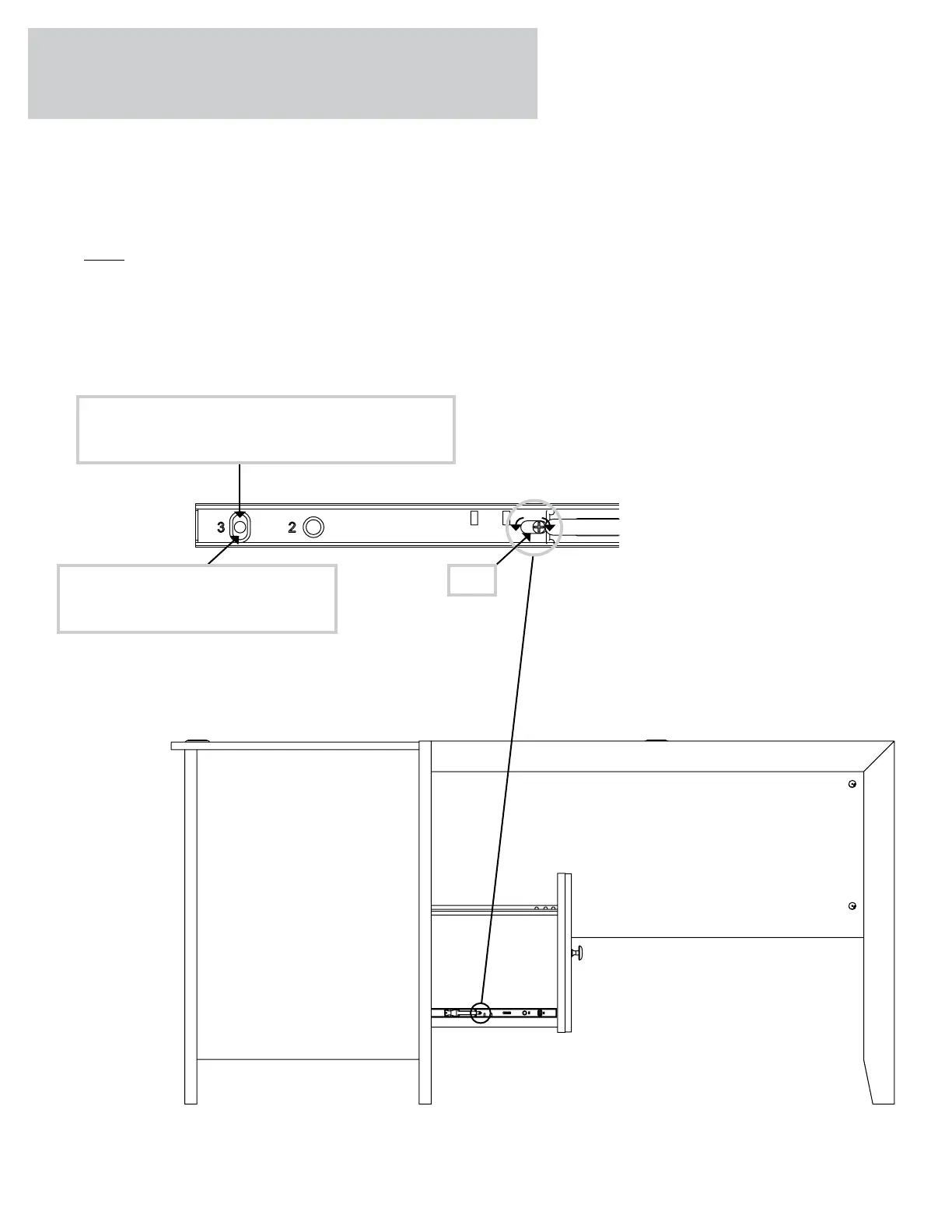
To make adjustments to the drawer, loosen SCREW #3 in the SLIDES a 1/4 turn, then turn the cam clockwise or
counter-clockwise. Notice how the drawer raises or lowers as you turn the cam. By adjustin the drawer this way, it
will help the DRAWER FRONT line up better when closed. Tihten the SCREWS when finished with adjustments.
å
NOTE: Please read the back paes of the instruction booklet for important safety information.
This completes assembly. Clean with a damp cloth. Wipe dry.
Step 33
Pae 38
CamThe hiher the screw in the oblon hole,
the hiher your drawer front will be. The
lower the screw, the lower the drawer front.
Loosen screw #3 a 1/4 turn, turn the cam a 1/4 turn
maximum in both the clockwise and counter-clockwise
directions to make adjustments, and then tihten screw #3.


 To Next Page
 Loading...