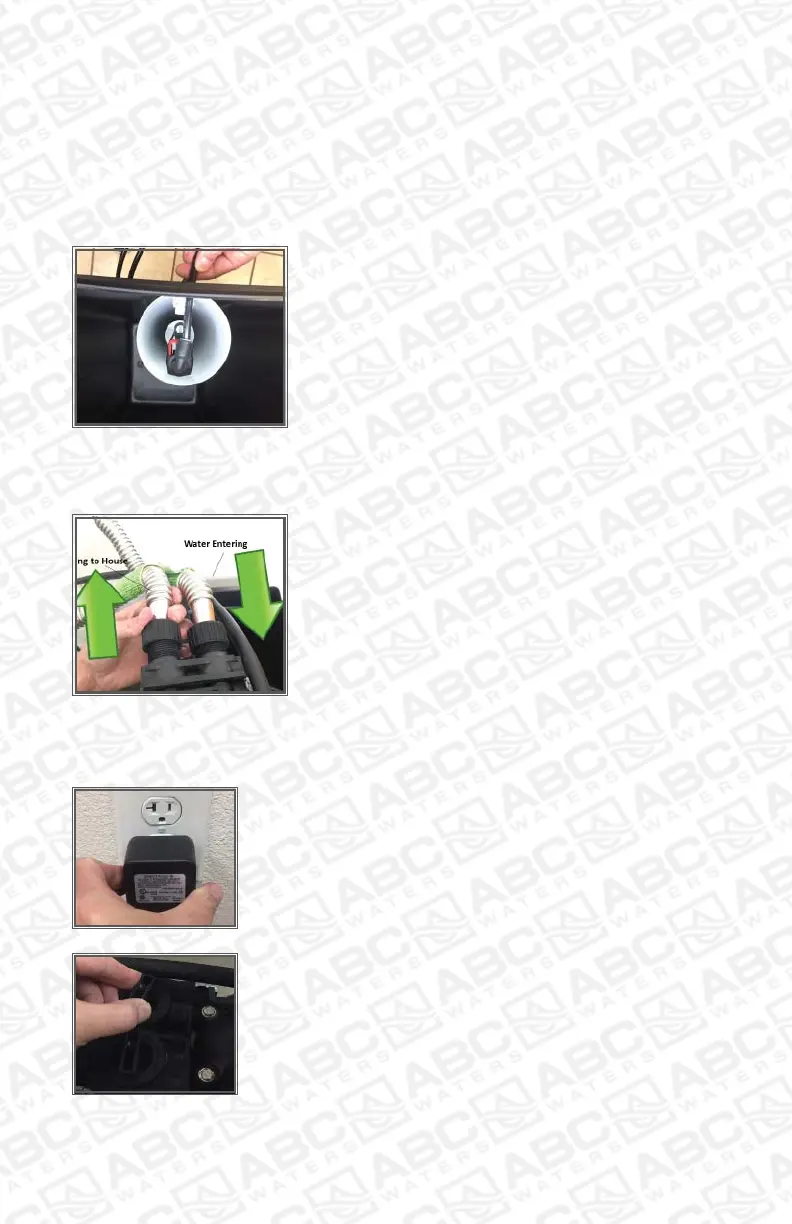
Step 9 – Connect Brine Line to Safety Float
1. Insert 3/8” brine line through brine well
predrilled hole to connect to the safety loat.
Push brine line in push-connect itting on top
of safety loat.
Almost Finished
Step 10 – Connect Valve to Home Water Line
1. Connect your home’s input water line to
the Fleck meter through the port with ‘arrow’
pointing toward the meter.
2. Connect the remaining port with ‘arrow’
pointing away from meter to the home’s
incoming water line.
Step 11 – Connect Meter to Power Source
1. Plug in the Fleck 5600sxt digital meter to a power
receptacle. Your power source should be less than 5
feet in distance from the Fleck meter.
2. Turn bypass to ‘in service’ and let the tank ill
slowly. Turn on the closest cold water faucet to soft-
ener to bleed air from tank.



 To Next Page