
 Need help?
Do you have a question about the Aberg Best ABcam 218 and is the answer not in the manual?
Lists the main capabilities and specifications of the digital camera, including resolution, zoom, and special modes.
Lists all the items that come included with the digital camera purchase.
Specifies minimum hardware and software for Windows 7/XP and Vista operating systems.
Specifies minimum hardware and software for Macintosh operating systems.
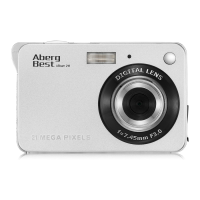
Provides a visual overview of the digital camera's front and back, highlighting key components.
Illustrates and labels the various icons and buttons found on the camera's LCD screen.
Details battery indicators, photo quality levels, and flash modes.
Explains Self-Timer, Digital Zoom, Anti-Shake, Scene modes, and camera modes.
Instructions for inserting and charging the lithium battery.
Guidance on inserting the SD memory card for photo storage.
Instructions on how to turn the camera on and off, and its basic operational modes.
How to take photos, use digital zoom, and manage flash settings.
Selecting scene modes and adjusting image size for different shooting conditions.
Details Anti-Shake, Face Detect, and Smile Capture for better photos.
Explains the continuous shooting mode for rapid capture of multiple images.
Configuring the self-timer and adjusting image exposure for brightness.
Adjusting ISO sensitivity, white balance, and image sharpness.
Selecting photo quality levels: Super Fine, Fine, and Normal.
Adjusting video size, system date, and auto power-off timer.
Configuring language, frequency, and formatting the memory card.
Instructions on how to record videos, including storage requirements and operation.
Navigating playback, viewing photos in thumbnail grid, and managing media.
Overview of editing options for still photos like rotating and protecting.
Instructions on how to protect files from deletion and how to delete files.
Details on cropping images and printing photos directly from the camera.
How to play AVI video files on the camera.
Step-by-step instructions for installing the PhoTags Express software.
Using PhoTags Express to edit, enhance, and share photos via email, print, or web.
Methods for downloading photos to a PC, including direct and software-assisted transfer.
How to open and navigate the PhoTags Express software user's guide for detailed operations.
Manual methods to transfer photos and videos to PC and Macintosh computers via USB.
 General
| Brand | Aberg Best |
|---|---|
| Model | ABcam 218 |
| Category | Digital Camera |
| Language | English |

 To Next Page