BIOS Setup 3-5
Back to µGuru Utility Setup Menu:
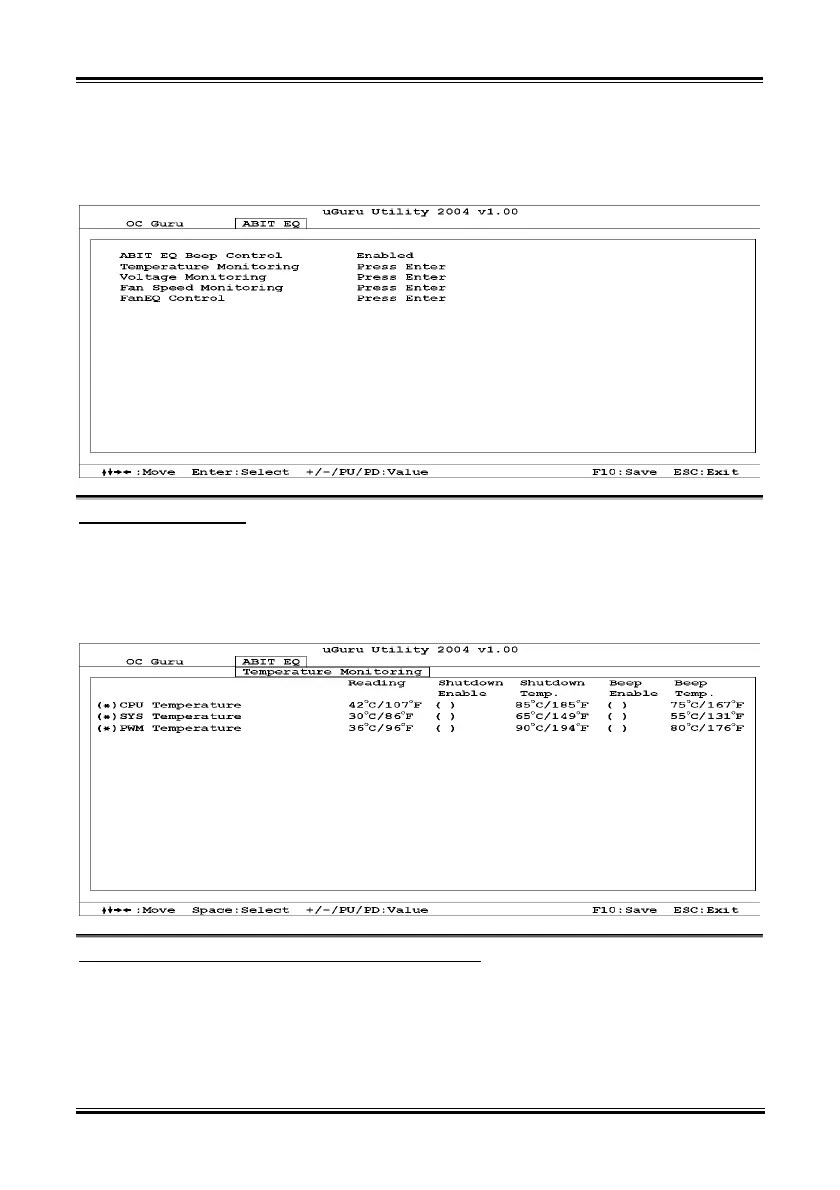
Use <→> key to switch from OC Guru setup menu to ABIT EQ setup menu:
ABIT EQ Beep Control:
This item allows you to enable or disable ABIT EQ Beep Control function.
Temperature Monitoring:
Click <Enter> key to enter its submenu:
CPU Temperature/SYS Temperature/PWM Temperature:
These items display the temperature of CPU, System, and Power Module.
Shutdown Enable:
Use <Space> key to enable system shutdown function. If the CPU/System/PWM’s temperature exceeds
the shutdown temperature limit, the system would shutdown automatically.
User’s Manual


 To Next Page