3-8 Chapter 3
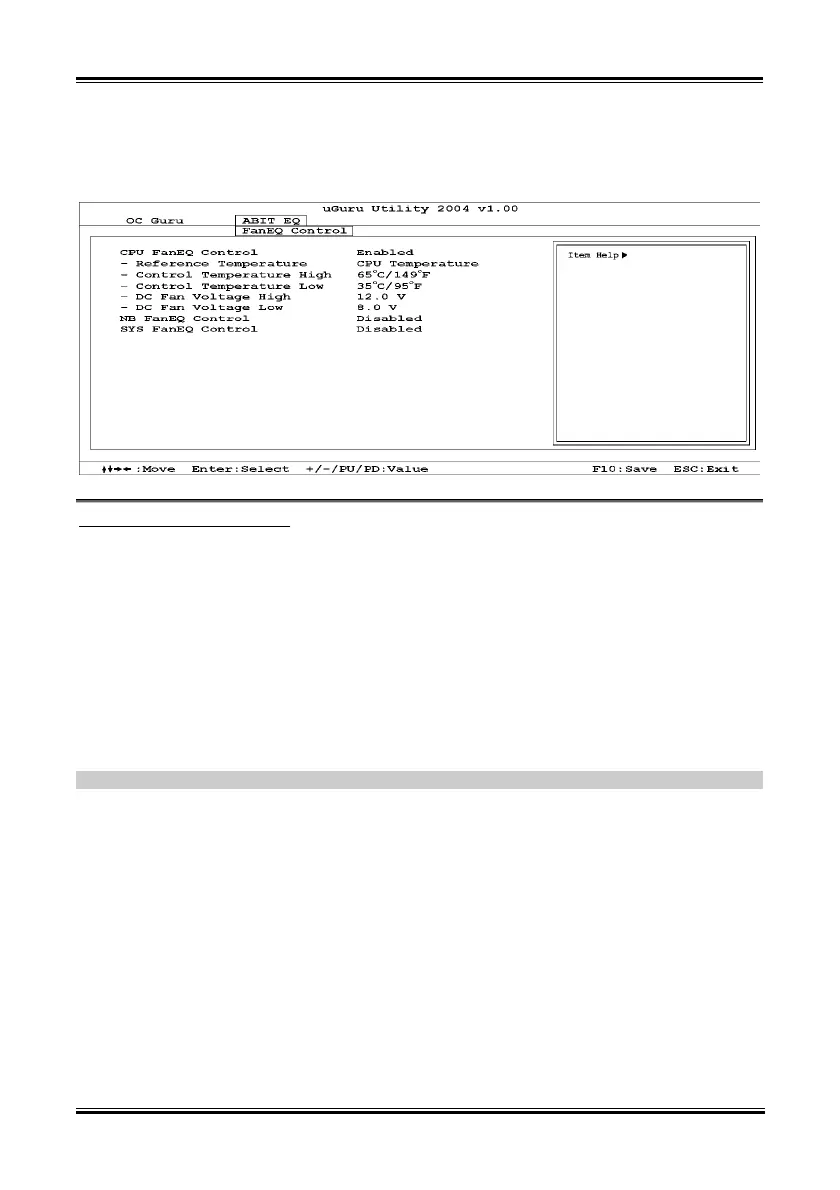
FanEQ Control:
Click <Enter> key to enter its submenu:
CPU/NB/SYS FanEQ Control:
When set to [Enabled], these items allow you to control the CPU/NB/System fan speed by its setting
combination of temperature and voltage high/low limit.
Reference Temperature:
These items display the CPU/NB/System temperature.
Control Temp. High/Low:
These items set the high and low temperature limit that you want to do the fan speed control.
DC Fan Voltage High/Low:
These items set the high and low voltage limit that you want to provide the fan with.
NOTE: The value of high limit must be set above the one of low limit.
AV8


 To Next Page