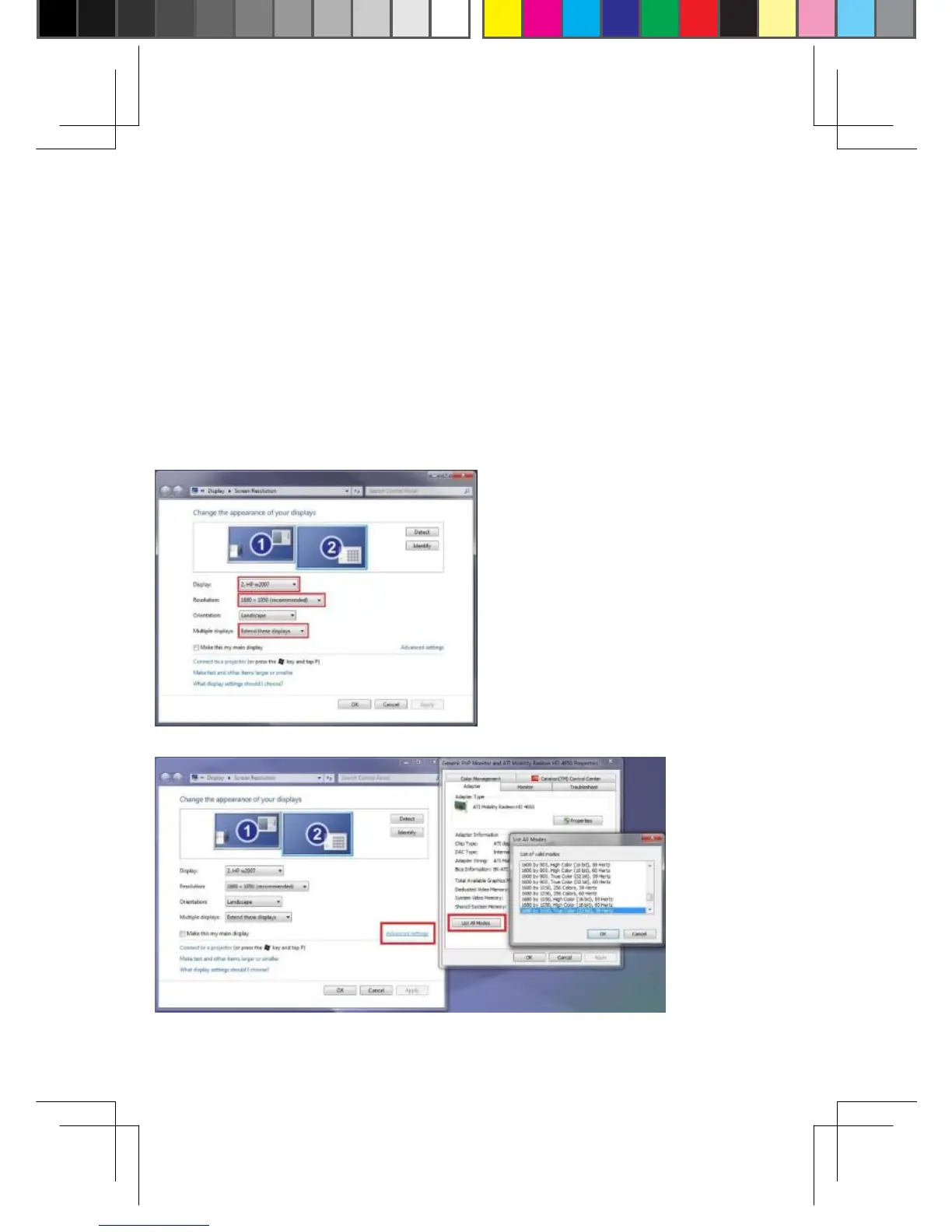
Q: My VGA monitor says it is “out of range” when using the
adapter with my laptop?
A: It’s because the resolution of the laptop and HDMI2VGAD
adapter is higher than your VGA monitor can handle. Please
select "Extend" display mode by pressing ‘Windows logo key +
P” to enable independent resolution settings for your VGA
monitor. Please open Screen Resolution and select your
external VGA display, and select the right resolution for your
projector. You can also try different video modes by clicking
"Advanced settings", and then click "List All Modes".
9


 To Next Page