Resolution Configuration
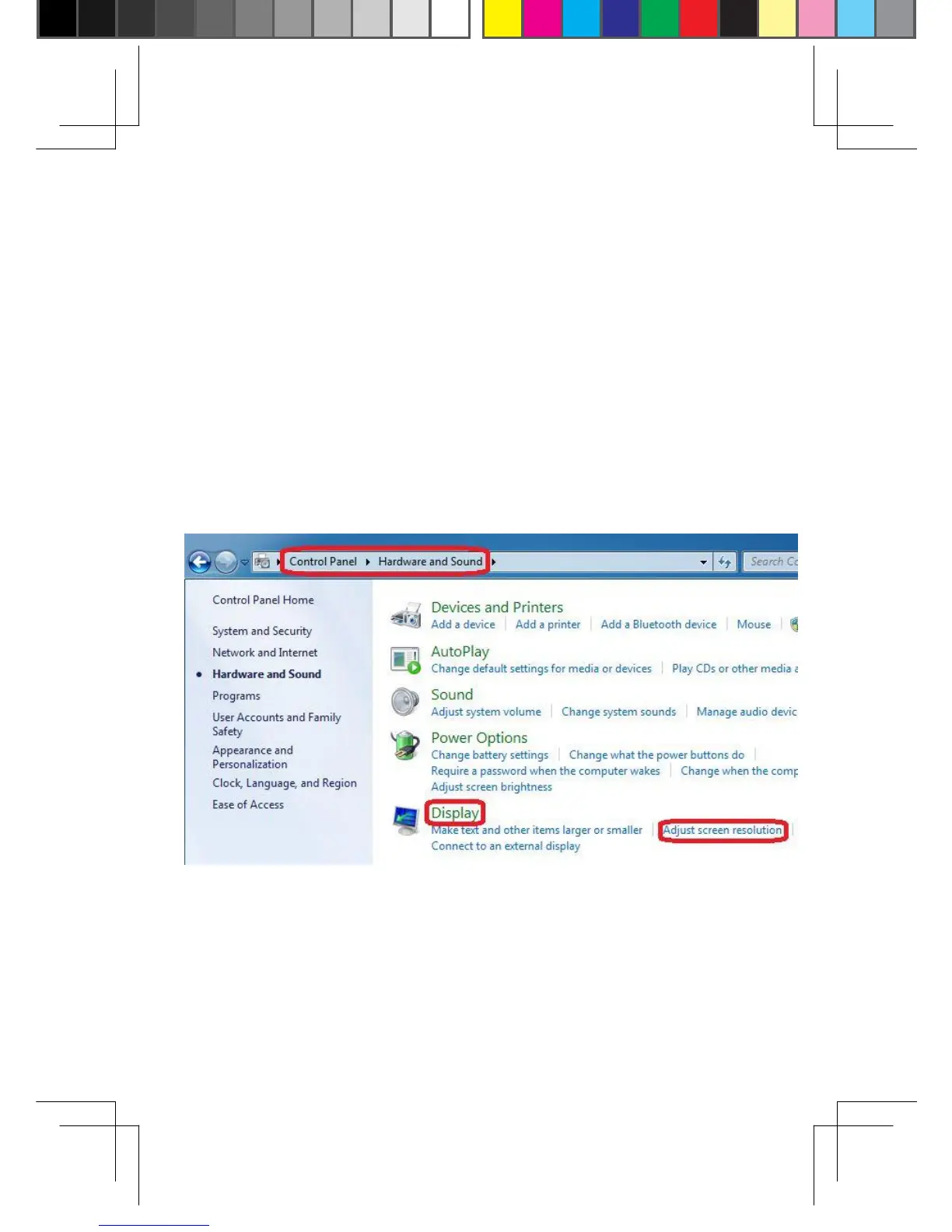
The product supports plug and play feature, therefore once
the adapter is plugged in, the system will auto detect the
resolution of the display device. However, if the default
setting does not match the resolution, it can be selected or
adjusted through following procedures (Below screen is only
based on Windows
®
7.
Other OS might be different.)
Step1:
Start\Control Panel\Hardware and Sound\Display\
Adjust screen resolution
6


 To Next Page