9
Connection
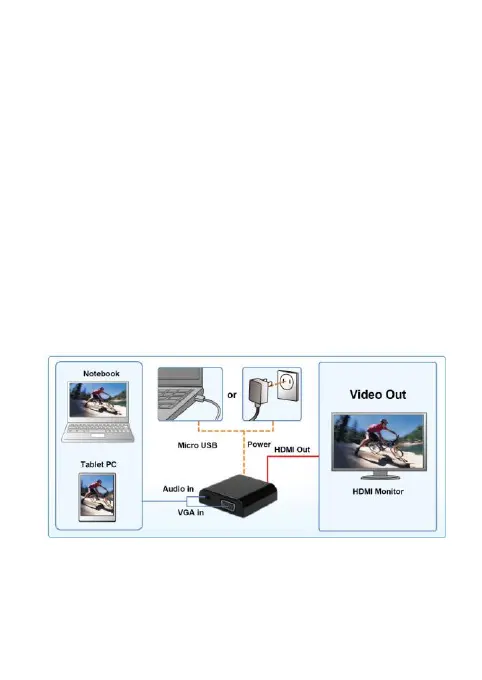
Follow the instructions below to check and connect your
mobile device to a display.
Make sure the source device is equipped with VGA port.
Make sure the terminal device is equipped with HDMI
port.
Connect the power first to make sure the device work
properly. (
If the device does not work properly with bus
power, please connect the external power to the device.)
Prepare a HDMI male to male cable to connect the
HDMI end to a terminal device. (Note that this cable is
not supplied)
Prepare a VGA male to male cable to connect the VGA
end to a source device. (Note that this cable is not
supplied)



 To Next Page