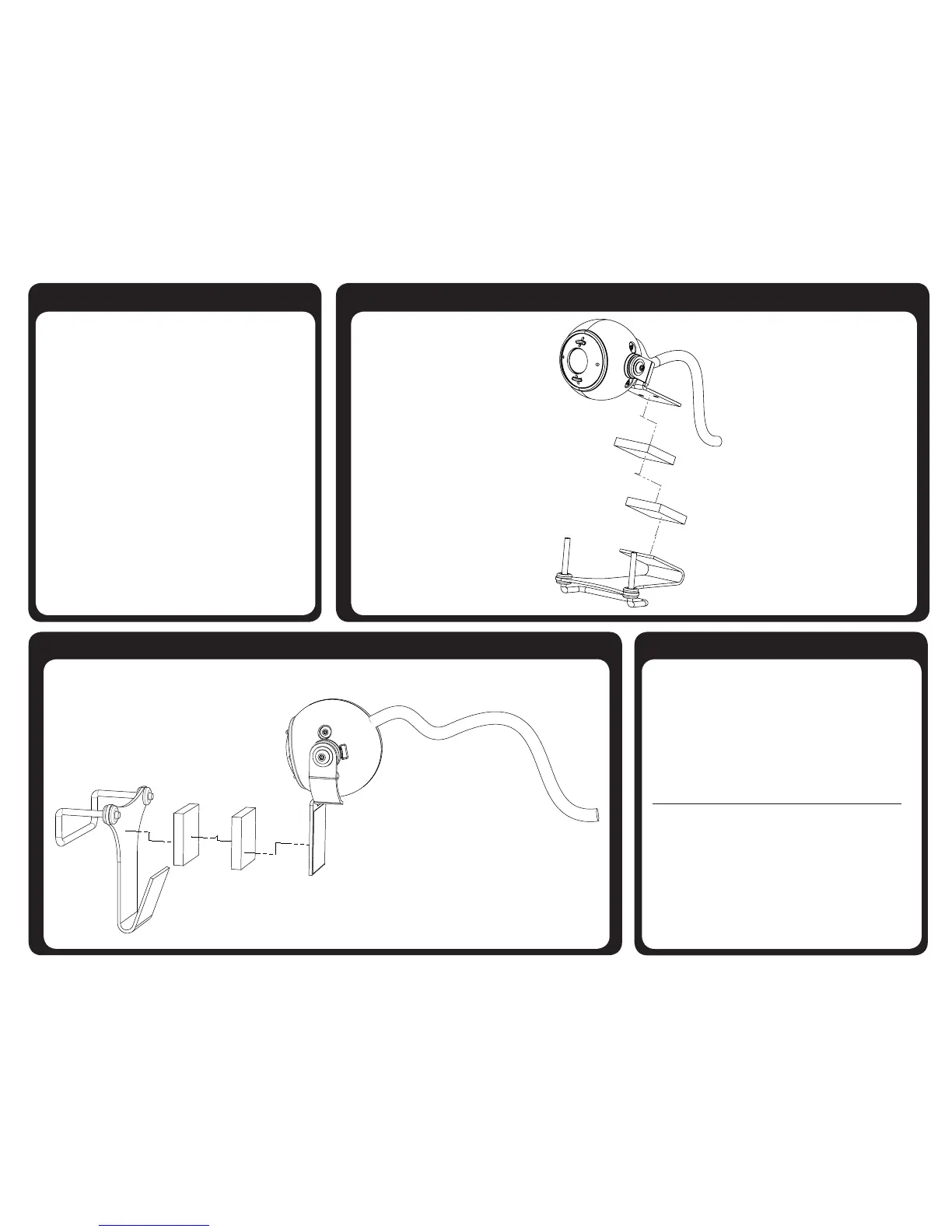
Mouse Click Options Desktop Mounting
Option 1 – Software Controlled
Install included mouse click control software demo
Option 2 – Switch Use
Dual Switch - Plug Directly into Switch Port on TrackerPro
Single Switch - Plug Switch Adapter Cable into Switch Port on
TrackerPro. Plug Switch(s) into Jacks on Switch adapter cable.
White Jack is Left Click
Red Jack is Right Click
Monitor Mounting
Tricks, Tips, and Warranty
Size: 2” X 2” X 3.25” (5.08cm X 5.08cm X 8.25cm)
Weight: 4 ounces (0.25 lb)
Input Voltage: 5 V from USB port Power: 1.15 watts
Field of View: 45°, symmetric Lens: Fixed Focus
Operating Temperature: 0-40°C, 32-105°F
Infrared Wavelength Transmission: 850 nanometers
Switch Input: 3.5mm, stereo jack
Uses standard HID USB driver - Works with Windows; Mac; and Linux
Tip - If cursor is slow - move acceleration switch to ‘On’ position
Warranty Information
AbleNet manufactured products include a two-year limited warranty. This
warranty is against defects in materials and manufacturing for two-years
from the date of purchase. Warranty in full text, along with return/repair
information is available at www.ablenetinc.com. For more information on
AbleNet products and services, contact:
AbleNet, Inc.
Minneapolis/St. Paul, MN | 800-322-0956 | www.ablenetinc.com
PN 98000037 FN 70500193A (02/14)



 To Next Page