9
Operation
Setting the temperature
When you are ready to use, select the required heat setting by turning the
temperature control dial in a clockwise direction (from off to 200⁰C).
The halogen oven heats up very quickly so pre-heating is not always necessary.
The green light illuminates until the required temperature is reached.
Note:
The halogen oven will not turn on until the timer has been set.
The halogen heater will turn itself on and off during operation when the heat
setting has been reached. This is to maintain the required temperature setting.
When the set cooking time has elapsed the halogen oven will turn off.
Setting the time
Select the required timer setting by turning the time control in the clockwise
direction (from 0 to 60 minutes).
Once the timer has been set the fan motor will come on.
If the temperature has also been set, this will also activate the halogen heater.
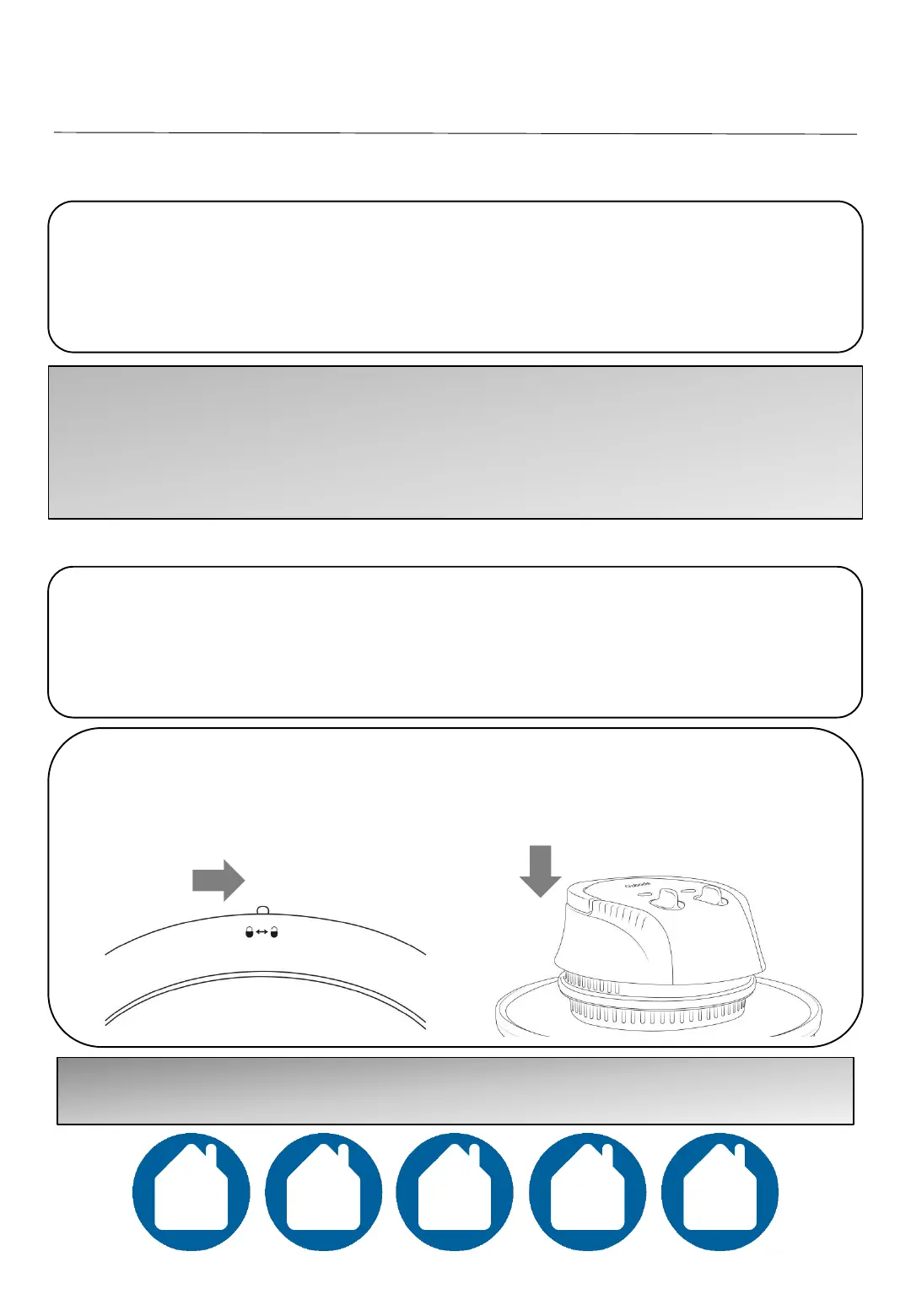
The handle must be in the Down/On position for the halogen oven to operate.
To do this, slide the plastic piece on the handle to the unlock position (a) and
push the handle down (b)
Note: The red LED power light and halogen will not come on until the timer has
been set.
(a)
(b)



 To Next Page