EasyManua.ls Logo

ABS PH-ABT-UCBI-0420 - User Manual

ABS PH-ABT-UCBI-0420
16 pages
Print Icon
To Next Page IconTo Next Page
Loading...
Part number 20219, Rev 0
1
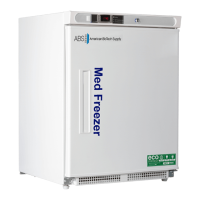
PREMIERE PHARMACY / VACCINE UNDERCOUNTER BUILT IN
FREEZERS
PH-ABT-UCBI-0420, PH-ABT-UCBI-0420SS
OWNER’S INSTRUCTIONS
This manual describes how to operate and care for your appliance to get the best, most efficient, performance.
READ THIS BOOK!
Note to Customer:
This merchandise was carefully packed and thoroughly inspected before leaving our plant. Responsibility for its
safe delivery was assumed by the carrier upon acceptance of the shipment. As directed on the side of your
packing carton, claims for loss or damage sustained in transit must be made on the carrier as follows:
A.) Visible Loss, Damage, Shortage External Evidence of Loss or Damage: This type of damage must be noted on
the freight bill and acknowledged by the carrier’s agent (driver) at time of delivery. Make sure you get a signed
copy. Send a written request for an inspection to the carrier.
B.) Concealed Damage: This type of damage may not be discovered until the unit is being unpacked. When
concealed damage is discovered, stop unpacking immediately and contact the carrier immediately to report
the claim and request an inspection. This should be done as soon as possible and, in any case, must be done
within 15 days or receiving the merchandise. If at all possible, do not move the item and save all packaging
material for carrier’s inspection.
C.) FAILURE TO FOLLOW THESE INSTRUCTIONS MAY RESULT IN THE CARRIER REFUSING TO HONOR YOUR
COMPANY’S CLAIM. UNDER NO CIRCUMSTANCES SHOULD THE MERCHANDISE BE RETURNED TO THE
MANUFACTURER. NO RETURNS WILL BE ACCEPTED WITHOUT PRIOR AUTHORIZATION.
Horizon Scientific
125 Varnfield Drive
Summerville, SC 29483
Phone: 800-648-4041
Fax: 843-821-8051
Warranty:
Two-Year Parts and Labor
5 Years Compressor Parts

Revision Date
03/08/2013

Questions and Answers

Summary

Receiving

Installation Instructions

Uncrating

Move refrigerator close to final location before unpacking. Remove carton and styrofoam strips. Position near power outlet.

Leveling

Level unit using screw-type adjustable legs on front corners. Turn clockwise to lower, counterclockwise to raise. Slight front-to-back tilt is acceptable.

Power Source

Use a dedicated 110-120V 60Hz circuit, protected by a 20 amp time-delay fuse or breaker. Use 3-prong grounded outlet; do not use extension cords or adapters.

Starting and Freezer Operation

Freezer Operation Tips

Ensure proper airflow, do not overload, minimize door openings, and load in stages for best results and temperature stabilization.

Electronic Temperature Control

Description and Functions

Digital microprocessor control monitors temperature, operates compressor, and includes LED alarm and audible beeper with a 5-minute delay.

Operating Mode

Displays current interior temperature, allows viewing set point, and records warmest/coldest temperatures since last reset.

Programming Mode

Access to functions like locking controls, changing Celsius/Fahrenheit, and adjusting alarm set points. User caution advised.

Quick Troubleshooting Guide

Maintenance and Cleaning

Cleaning Procedures

Guidelines for cleaning interior, glass doors, gaskets, shelves, and exterior using specific agents and precautions.

Stainless Steel Care

Instructions for cleaning stainless steel surfaces using non-abrasive tools, specific cleaners, and proper scrubbing techniques.

Defrosting

Product Warranty Information

Horizon Scientific Product Warranty

Covers two-year parts and labor, with an additional three-year compressor warranty for material and workmanship defects.

Warranty Exclusions and Claims

Details non-transferability, exclusions like misuse/accident, and procedures for making warranty claims.

Overview

This document serves as the Owner's Guide for the PREMIERE PHARMACY / VACCINE UNDERCOUNTER BUILT IN FREEZERS, specifically models PH-ABT-UCBI-0420 and PH-ABT-UCBI-0420SS, manufactured by Horizon Scientific. It provides comprehensive instructions for operation, care, and maintenance to ensure optimal and efficient performance of the appliance.

Function Description

The PREMIERE PHARMACY / VACCINE UNDERCOUNTER BUILT IN FREEZERS are designed for the precise storage of pharmacy and vaccine products, requiring stable and controlled low-temperature environments. These units are equipped with an electronic temperature control system that continuously monitors and regulates the internal temperature to maintain a desired set point. When the internal temperature rises above the upper limit, the controller activates the compressor to cool the unit until the lower temperature set point is reached, at which point the compressor turns off. This cycling ensures consistent temperature control critical for the integrity of stored vaccines and pharmaceuticals. The units are built for undercounter installation, making them suitable for various clinical and laboratory settings where space optimization is important.

Important Technical Specifications

  • Models: PH-ABT-UCBI-0420, PH-ABT-UCBI-0420SS
  • Power Source: The supply circuit must conform to all National and Local Electrical Codes. The cabinet's Serial-Data plate specifies voltage, cycle, phase, and amp requirements. Voltage should not vary more than 5% from serial plate ratings. A separate 20 AMP DELAY-TYPE FUSE OR CIRCUIT BREAKER protected circuit is recommended. The unit requires a 3-prong grounded outlet; extension cords and adapter plugs are not to be used, and no prong should be removed or bypassed.
  • Temperature Control: Digital microprocessor-based electronic temperature control, indication, and alarm system.
  • Alarm System: Features a red LED for visual alarm indication and a beeper for audible alarms. Includes a preprogrammed 5-minute delay from set point attainment before an alarm is declared, preventing spurious alarms from events like door openings.
  • Temperature Display: Normally displays current interior temperature in degrees Celsius. Can be switched to Fahrenheit.
  • Temperature Range: The unit is factory-preset to provide desired air and product temperatures. The controller manages compressor cycling based on a set point and a differential (Hysteresis) setting. For example, if the SET point is 3°C and Hysteresis is 3, the compressor will cycle between 3°C and 6°C.
  • Load Capacity: Maximum suggested load is about 75% of the chamber volume, distributed evenly.
  • Clearance: Requires 2-3 inches of free space along the back and sides for proper airflow. When loading the top shelf, at least 4 inches of clearance around the evaporator fan(s) (if installed) is necessary.
  • Operating Environment: Recommended room temperature for the refrigerator or freezer is between 65°F to 85°F (18°C to 29°C). Operating outside this range may affect the unit's ability to maintain proper internal temperatures. The unit should not be used if ambient temperature is above 40°C/104°F or below -40°C/-40°F.
  • Warranty: Two-Year Parts and Labor warranty, and an additional Three-Year Compressor Parts warranty (totaling 5 years for compressor parts) from the date of shipment.

Usage Features

  • Installation: Units should be moved as close as possible to their final location before unpacking. Leveling is achieved via screw-type adjustable legs on the front corners, allowing for a slight tilt from front to back, which is acceptable and recommended.
  • Initial Startup: After leveling, plug the unit into a proper electrical outlet. Allow the cabinet to operate for a minimum of four hours, or until it cycles normally, before placing products inside. This allows the system to cool down and stabilize.
  • Loading: When introducing products, especially large quantities, do so in stages, allowing several hours between stages for temperature stabilization. Ensure proper airflow by leaving 2-3 inches of space along the back and sides, and at least 4 inches around the evaporator fan on the top shelf. Avoid overloading the unit.
  • Door Management: Minimize door opening time to prevent cold air loss and warm, moist air entry, which can lead to condensation and frost buildup.
  • Temperature Monitoring: The electronic control displays the current interior temperature. Users can view the compressor off set point by pressing the SET button. The control also records the warmest and coldest temperatures since the last reset, accessible via the up and down arrow keys.
  • Temperature Adjustment (Advanced): While factory-preset, the temperature set points can be adjusted. This requires pressing and holding the SET button to access the compressor off set point, and adjusting the differential (Hysteresis) to set the compressor on set point. It is strongly recommended to contact the manufacturer's Technical Support Department before making any temperature adjustments.
  • Unit Lockout: The control keys can be locked to prevent inadvertent changes by simultaneously pressing and holding the up and down arrows until "POF" is displayed. To unlock, repeat the action until "Pon" is displayed.
  • Temperature Scale: The display can be switched between Celsius and Fahrenheit scales through the programming mode.
  • Alarm Set Points: High (ALU) and Low (ALL) alarm set points can be adjusted in the programming mode, also with a strong recommendation to consult technical support.

Maintenance Features

  • Cleaning: The units require periodic cleaning for efficient operation.
    • Interior and Door Liners: Clean with a solution of 2 tablespoons baking soda in 1 quart of warm water. Wring out excess water from sponges/cloths before cleaning around electrical parts.
    • Glass Doors: Clean with mild detergent and water on a soft cloth/sponge, rinse, and wipe dry.
    • Door Gaskets: Wipe gaskets and seating surfaces with a clean soft cloth.
    • Shelves: Clean with soap and water; do not wash in a dishwasher.
    • Exterior and Handles: Use soap and water or non-abrasive glass cleaner. Avoid commercial household cleaners, ammonia, or alcohol. Use a soft cloth for smooth handles; do not use a dry cloth.
  • Stainless Steel Care:
    • Tools: Use non-abrasive tools like soft cloths or plastic scouring pads. If using stainless steel pads, scrub in the direction of polishing lines.
    • Cleaning Direction: Always scrub in the direction of visible polishing lines or "grain." If no grain is visible, use a soft cloth or plastic scouring pad.
    • Cleaners: Use alkaline, alkaline chlorinated, or non-chloride containing cleaners. Avoid cleaners with chlorides or quaternary salts, as they can cause pitting and rusting.
    • Water Quality: Softening hard water can reduce deposits. Consider filters to remove corrosive elements.
    • Rinsing: Rinse thoroughly after using chlorinated cleaners and wipe dry immediately. Allow to air dry to maintain the stainless steel's passivity film. Never use hydrochloric acid (muriatic acid).
  • Defrosting: Defrost the freezer when ¼ to ½ inch of frost accumulates or if the unit fails to maintain proper temperature.
    • Procedure: Disconnect power. Remove products and leave the door open. Place towels in the bottom to catch frost. For soft frost, use a plastic scraper. For glazed/hard frost, place deep pans of hot water inside, close the door for 15 minutes, and repeat as needed.
    • Post-Defrost: Remove all towels, tools, and pans. Clean the interior and exterior. Plug the unit back in and restore to service.
  • Troubleshooting: A quick troubleshooting guide is provided for common issues like the unit not running, not maintaining temperature, running too long, warm external walls, or compressor noises. It also addresses display error codes ("SO," "SC," "HH," "LL") and moisture issues, particularly during summer.
  • Technical Support: Before calling, have the unit's model and serial number (found on the interior left or right upper wall) and a problem description ready.

ABS PH-ABT-UCBI-0420 Specifications

General IconGeneral
BrandABS
ModelPH-ABT-UCBI-0420
CategoryFreezer
LanguageEnglish