2
4
6
1
3
5
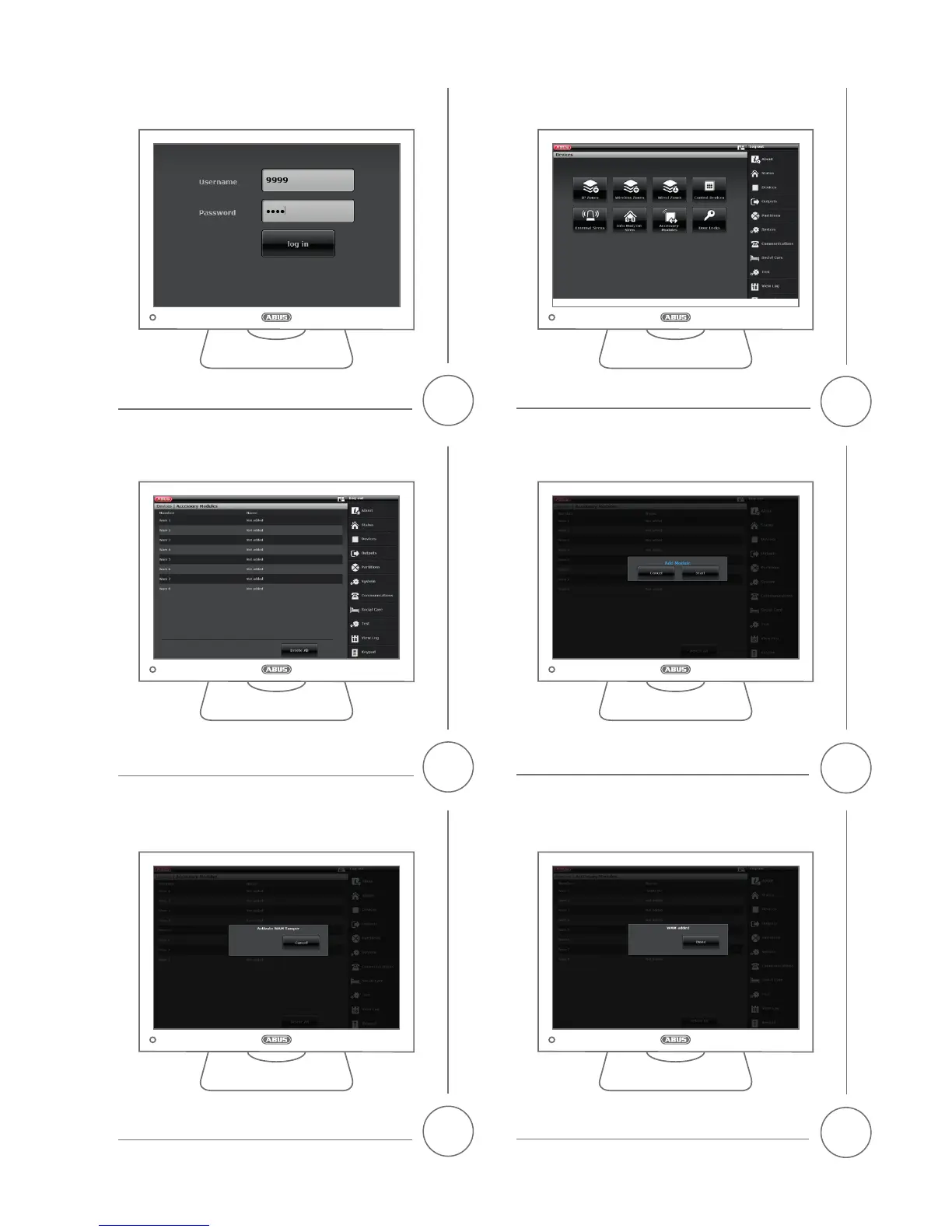
Select -> Components -> Universal Module
nd a storage location with available space and click on it to select it.
Select 'Start'.
Once the teaching in has been completed successfully, the message
'Universal Module Added' will appear. Conrm by pressing 'Finish'.Trigger the tamper contact of the universal module.
Access the SECVEST alarm panel web interface and log in using the
installer login details
.
OPTION 2
Teaching-in via the SECVEST web interface (FW Version 2.00.00 or higher)



 To Next Page