26 27
3.1
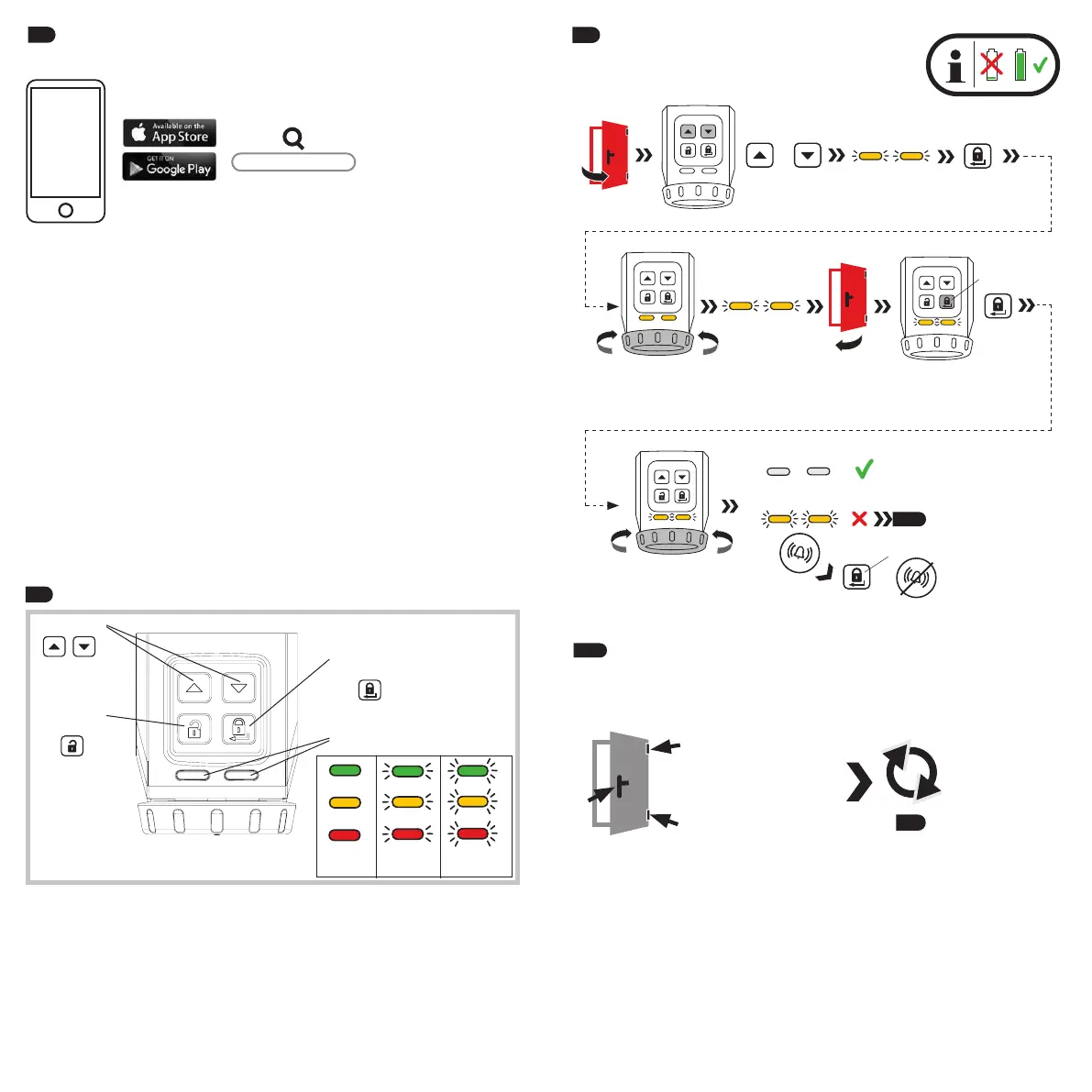
Navigation
Unlock /
Lock /
shining flashing flashing
rapidly
3.
®
on your
smartphone.
• Start the app and follow the instructions in the app.
• As an alternative to a smartphone, the door lock drive can also be
and always scan the correct Keycard.
• It is imperative to keep the ABUS Keycard(s) in a secure place even aer
completing the setup!
your smartphone, and for proof of ownership for matters related to warranty
claims and repair. Do not give the Keycard to third parties.
To guarantee proper function, we expressly recommend performing
components in a timely manner. The app will provide information on this.
HomeTec Pro App
check!
3.2
3.2 a
Adjustment of the door
or cylinder.
3.2
Optional: Program the drive on the door in
(programming is intended to be done in the
aprox. 3 sec. - 10 sec.
turns automatically
+
press 3 sec.
open
press
turns automatically
close
3.2 a
press
=


 To Next Page