– 23 –
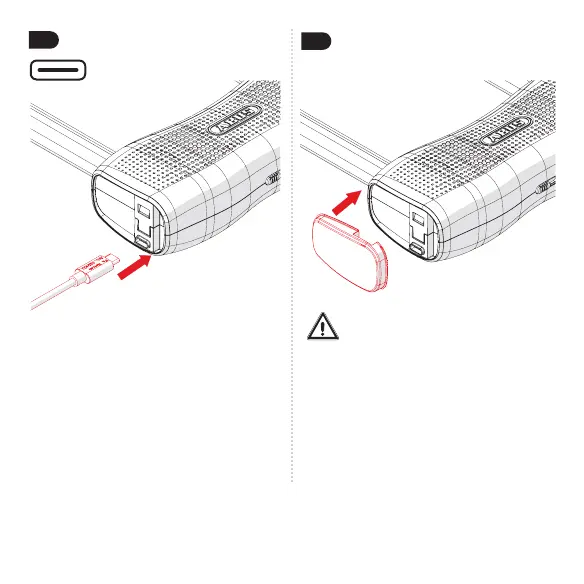
Aercharging,remember
to properly close the cap
again!
The cap seals the device
and protects the electronics
from humidity and dirt.
USB-C
Important
While charging the device, install
the Smart X app (from chapter 4).
Charge the battery to 100% (the
charge level of the battery can be
displayed in the app), and the lock
will be ready for use.
3.3
3.4


 To Next Page