EasyManua.ls Logo

Abus TVHD51000 - Camera Interface and Operation; OSD Menu Navigation

Abus TVHD51000
17 pages
Print Icon
To Next Page IconTo Next Page
To Previous Page IconTo Previous Page
Loading...
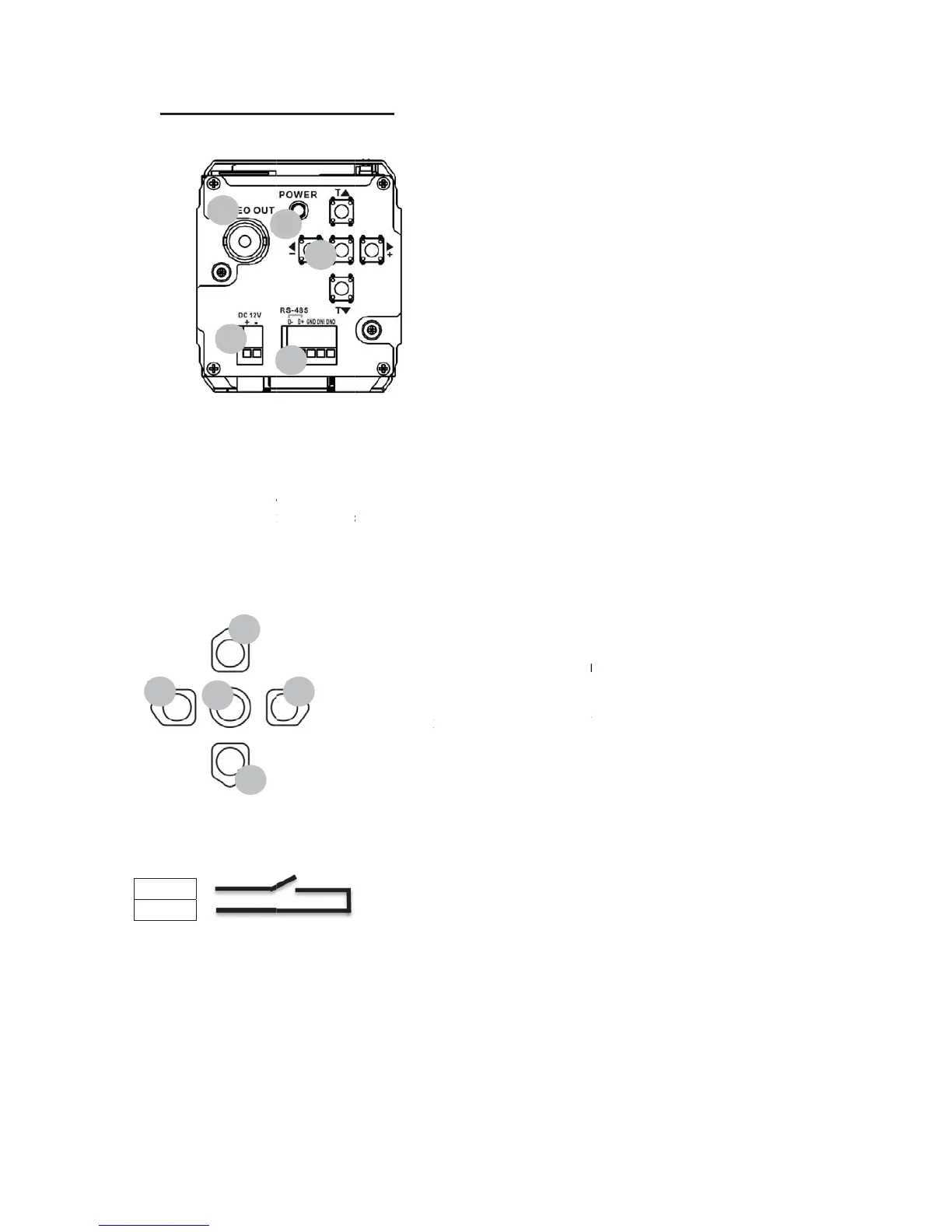
7. Rea
Buttons
Switchi
n
GND
DNI
4
r view o
f
(1) Vid
e
(2) 12
V
(3) RS-
4
(4) Sta
t
(5) OS
D
n
g input
2
3
1
1
2
f
the ca
m
e
o output (
H
V
DC powe
r
4
85 conne
c
t
us LED (a
c
D
menu but
t
3
5
5
4
m
era
H
D-SDI)
r
supply co
n
c
tion, switc
h
c
tive when
v
t
ons
Functi
o
(1) En
(2) U
p
(3) D
o
(4) Le
f
(5) Ri
g
Ex
27
n
nection (l
e
h
ing input
v
oltage pre
s
o
n
n
te
r
: Enter t
h
p
: Navigatio
o
wn: Navig
a
f
t: Increas
e
g
ht: Decre
a
x
it the sub-
m
ft +, right -)
s
ent)
h
e menu /
E
n in the me
a
tion in the
m
value / Se
l
a
se value /
S
m
enu (“RE
T
E
xit the me
n
nu
m
enu
ect option
S
elect opti
o
T
URN”)
n
u
o
n /

Other manuals for Abus TVHD51000

Related product manuals