109
Notify the surveillance centre: Alarm triggering of the NVR/CMS for further processing (e.g.
recording on NVR, or full-screen display when alarm is
triggered in CMS)
8.6.3 Exceptions
Events can trigger the following exceptions:
- HDD full: If the internal SD card or a linked NAS drive is full
- HDD error: SD card or NAS drive error
- Network disconnected: Ethernet cable removed
- IP address conflict
- Illegal login: a reaction can be programmed to follow an incorrect login
The following reactions can be programmed:
- Send email:
- Notify surveillance centre (NVR/CMS)
- Activate alarm output
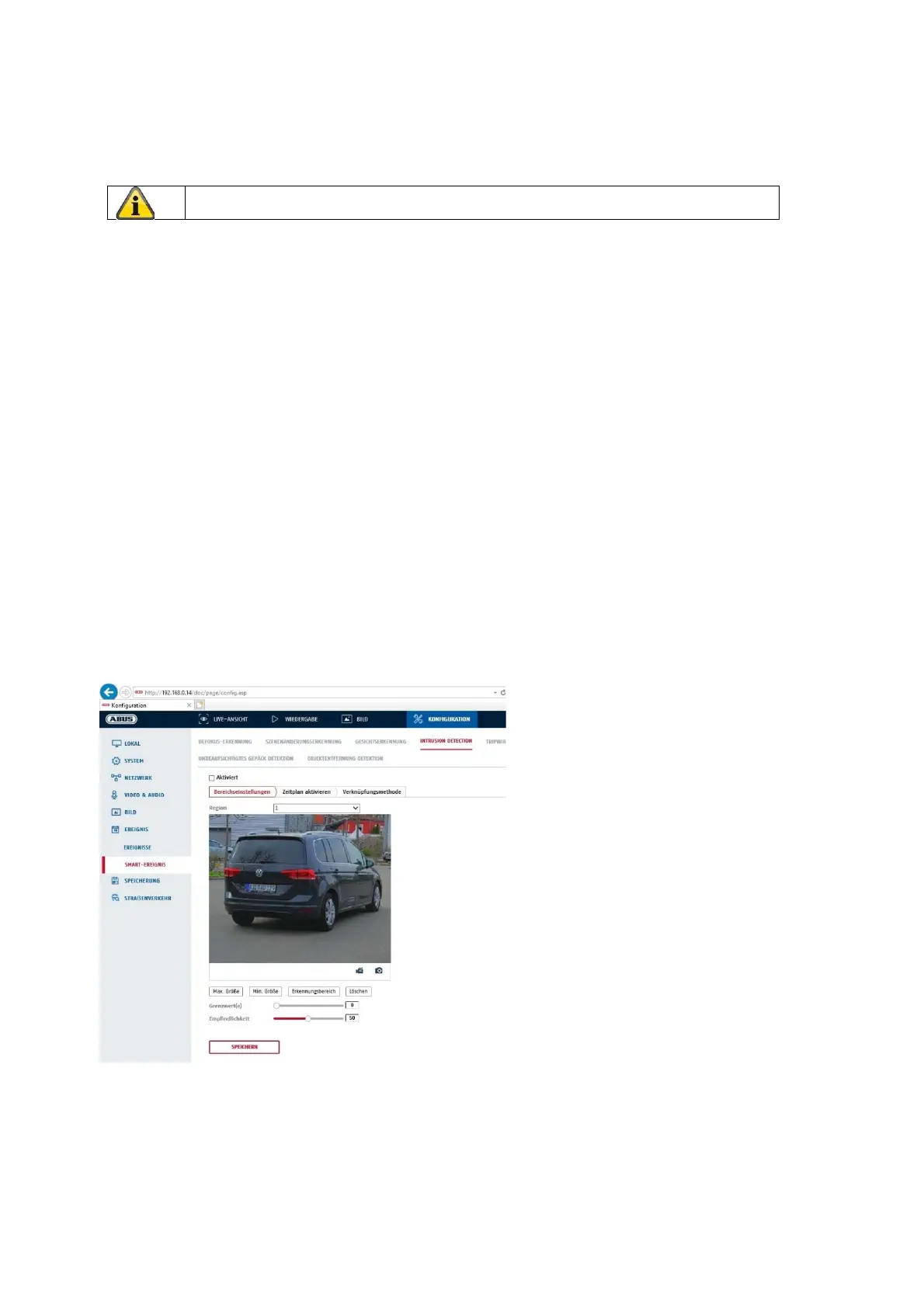
8.6.4 Intrusion detection
Enable intrusion detection: The intrusion detection function triggers an event if an object stays in the
area to be monitored for longer than the set time.
Preview video: configure the area to be monitored
Max. size: This function determines the maximum size of the object to be detected. This is done
by drawing a rectangle in the preview video. The rectangle can be drawn anywhere in
the preview video.
Apply the settings by clicking “Save”.



 To Next Page