35
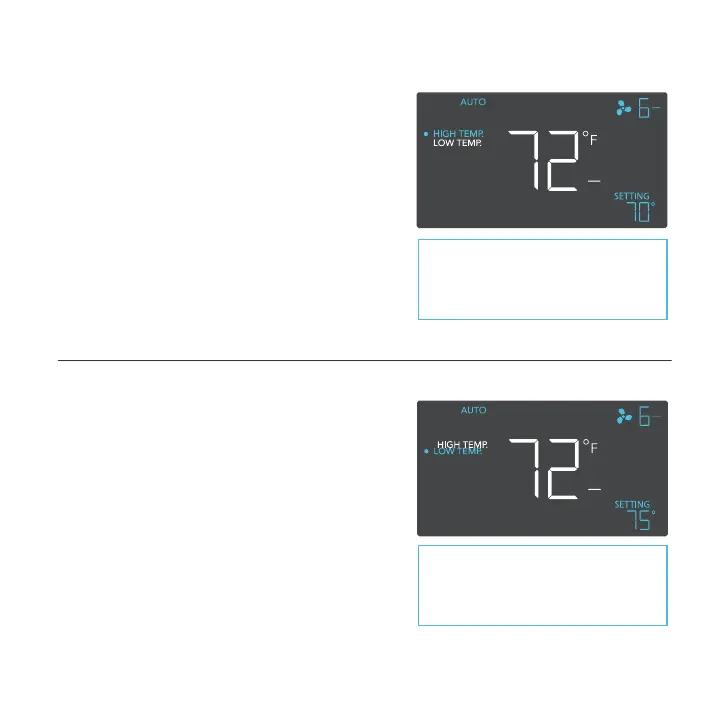
AUTO MODE: HIGH TEMPERATURE TRIGGER
Pressing the up or down button sets the high
temperature trigger. The fan will activate if the
probe’s reading meets or exceeds this threshold.
Once triggered, the fan will gradually ramp up to the
speed set in ON mode. If the probe’s reading falls
below this trigger point, the fan will gradually slow
down to a stop or at the speed set in OFF mode.
You may set this trigger below the low temperature
trigger to create a specific range in which the fan
is active.
Note that this trigger can activate as
long as you are in AUTO Mode, even
if you are viewing a different trigger
within AUTO Mode.
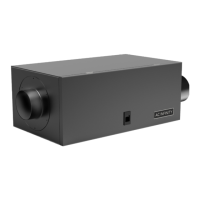
AUTO MODE: LOW TEMPERATURE
Pressing the up or down button sets the low
temperature trigger. The fan will activate if the
probe’s reading meets or falls below this threshold.
Once triggered, the fan will gradually ramp up to the
speed set in ON mode. If the probe’s reading rises
above this trigger point, the fan will gradually slow
down to a stop or at the speed set in OFF mode.
You may set this trigger above the high temperature
trigger to create a specific range in which the fan
is active.
Note that this trigger can activate as
long as you are in AUTO Mode, even
if you are viewing a different trigger
within AUTO Mode.
PROGRAMMING


 To Next Page