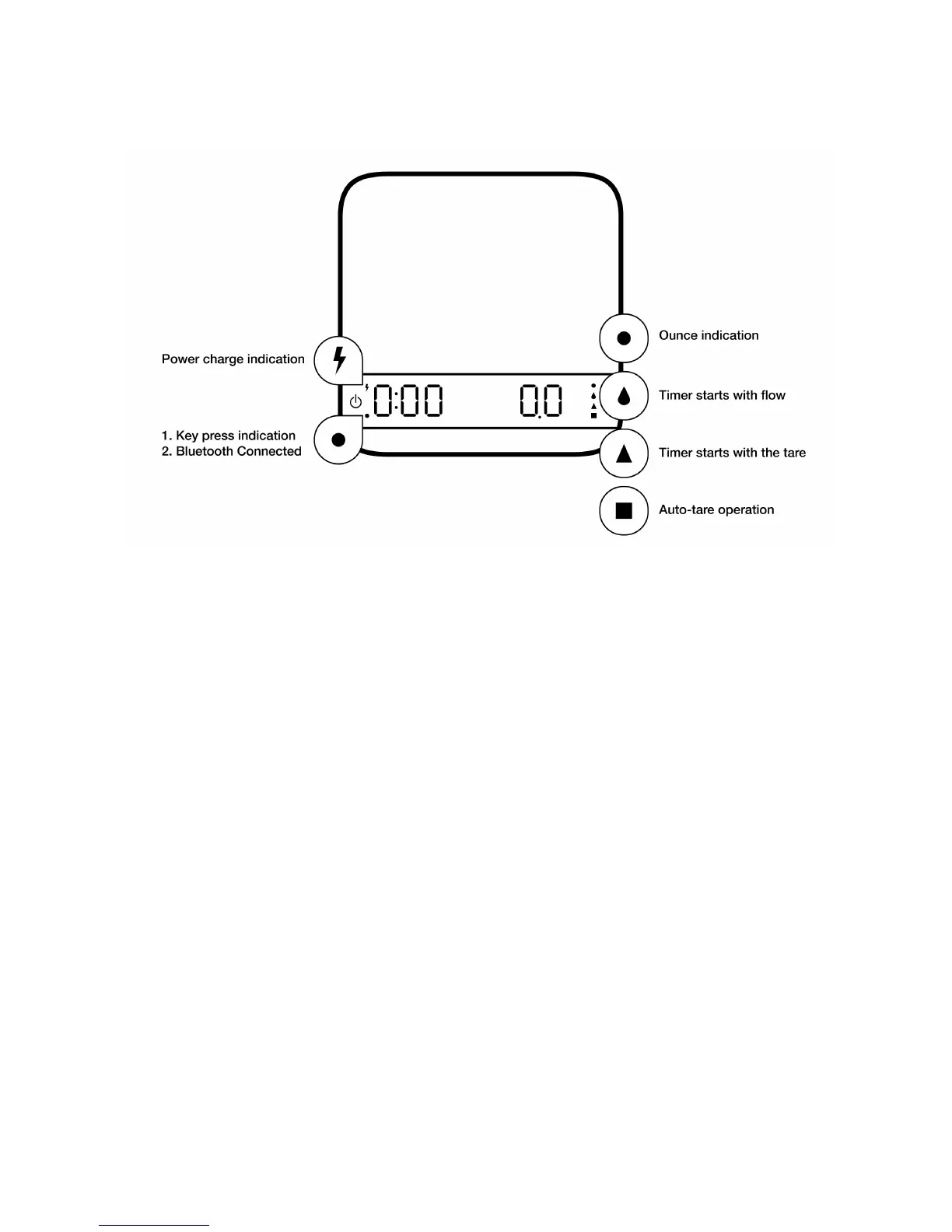
LED Indicators
Battery Charge
•
Charge the battery by plugging the USB cable to any power supply listed below:
•
A computer USB port
•
A 5V at 1A cell phone charger with a micro USB connector
•
An automotive 5V cell phone charger with a USB port or a Micro USB cable
•
It takes 1-2 hours to fully charge the battery. You can charge the battery more frequently so
that it will never run out of charge.
•
Battery percentage can be viewed in Acaia Apps.
•
It is not recommended to let the battery run out completely before charging.
•
*Please note: Using a “fast-charging” charging block or charging hub (a charging block/hub
delivering over 5v at 1A) could damage your Acaia scale’s circuit board.!


 To Next Page