Need help?
Do you have a question about the Acard AEC-7726Q and is the answer not in the manual?
Explains the core technology and its benefits, transforming IDE to SCSI.
Details the objectives of SCSIDE® design, focusing on cost reduction and plug-and-play.
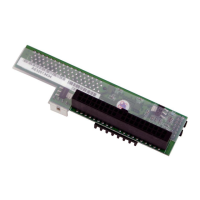
Introduces the SCSI-IDE Bridge products and their functionality.
Lists key features of AEC-7722 and AEC-7726H/Q models.
Provides package contents, specifications, and outlines for various models.
Guides the installation of the AEC-67160 SCSI adapter.
Lists supported DVD-ROMs, SCSI adapters, and recording software.
Details the installation process for the AEC-7722 model.
Explains jumper settings for the AEC-7722 to configure device ID.
Provides general checks for common installation and connectivity issues.
Offers detailed steps for troubleshooting the AEC-7722 in Windows XP.
Guides advanced troubleshooting for AEC-7726H/Q and similar models.


 To Next Page
 General