5
Setup using Windows
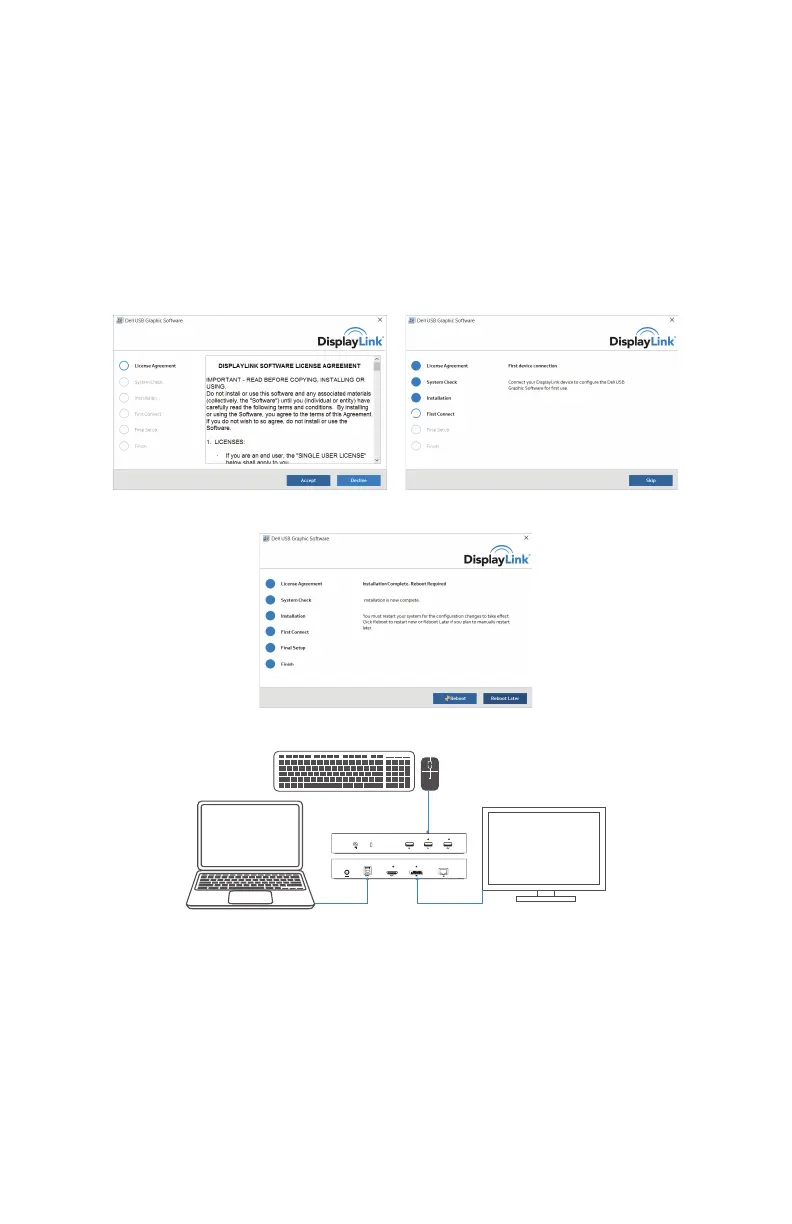
1. Download the latest drivers at www.displaylink.com/
downloads
• For network/IT administrators, please visit the following
link for a corporate installation software package. (User
registration required.)
• www.displaylink.com/corporateinstall
2. Install the DisplayLink driver.
3. Follow the screen instructions until the installation is complete.
4. Click “Reboot” to restart the computer.
5. Connect your docking station and peripherals to your computer.


 To Next Page